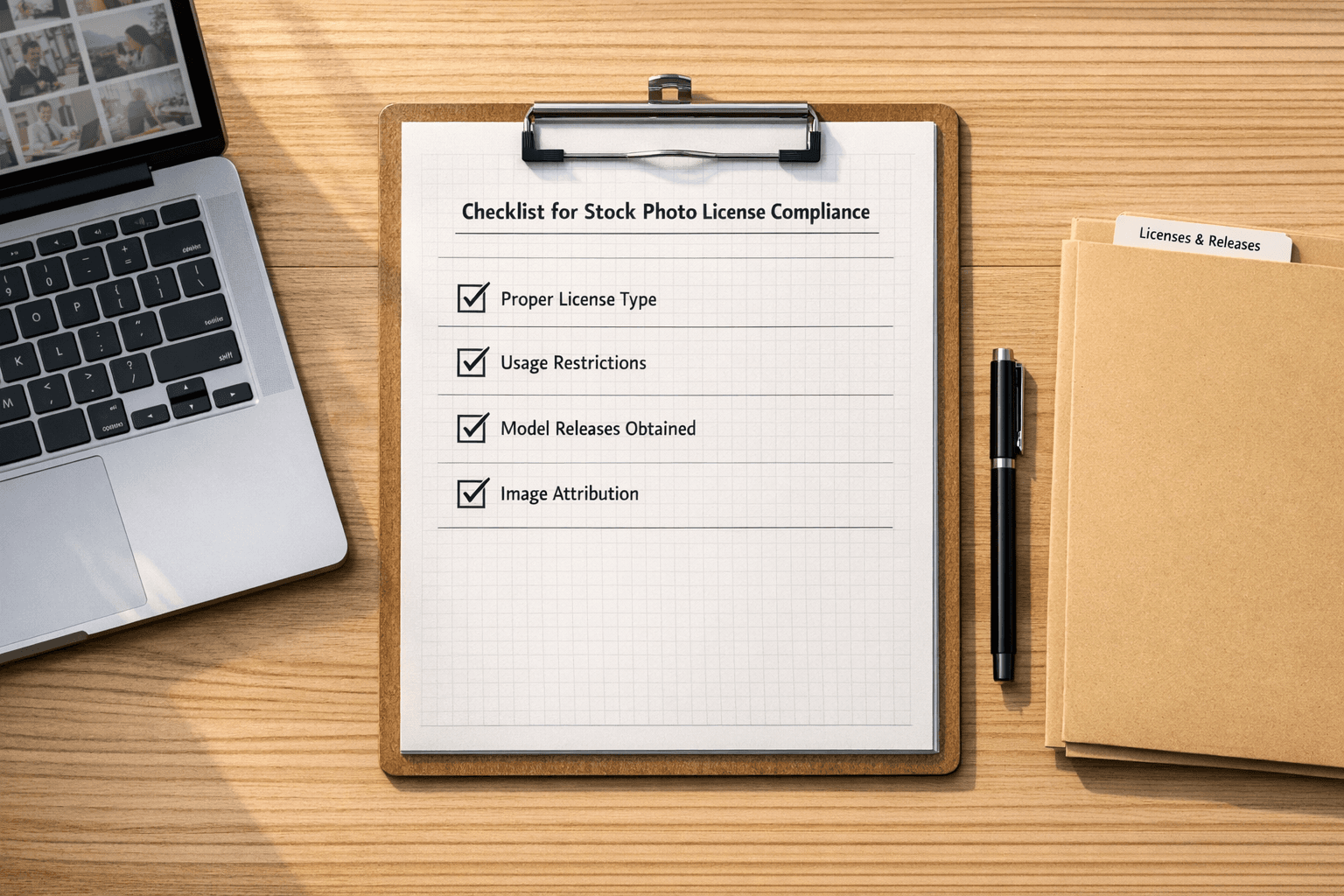
Managing image licenses isn’t just a best practice—it’s a necessity. One wrongly used image can cost up to $150,000 per violation, triggering legal threats, SEO penalties, and reputational damage. Fortunately, modern tools like PicDefense.io make it easier than ever to stay compliant, track licenses, and protect your website from avoidable risks.
Here are the top 8 tools for managing website image licenses:
- PicDefense.io: AI-powered detection and compliance monitoring.
- Bynder: Centralized asset management with AI tagging.
- Adobe Lightroom Classic: License tracking through metadata.
- AssetSonar: Bulk editing and audit trails for enterprises.
- Reprise License Manager: Flexible license models with offline access.
- Copyrights.ai: Blockchain-based ownership verification.
- Snow License Manager: Real-time compliance monitoring.
- DigiGuardian IP Manager: AI-driven copyright enforcement.
Quick Comparison:
| Tool | Key Features | Best For | Price (Starting) |
|---|---|---|---|
| PicDefense.io | AI scanning, CMS integration, proprietary risk scoring | Automated compliance | From $30/month or Pay-as-you-go |
| Bynder | AI tagging, brand portals | Enterprise branding | Custom pricing |
| Adobe Lightroom Classic | Metadata-based tracking, smart collections | Photographers & creators | $9.99/month |
| AssetSonar | Bulk editing, audit trails | Large organizations | $1.50/asset/month |
| Reprise License Manager | Flexible license models, offline access | Mixed licenses | Custom pricing |
| Copyrights.ai | Blockchain verification, DMCA notices | AI-generated content | $9.99/month |
| Snow License Manager | Real-time compliance, risk analysis | Enterprises | Custom pricing |
| DigiGuardian IP Manager | AI copyright enforcement, global tracking | Large-scale operations | $49/month |
These tools help businesses avoid legal risks, streamline workflows, and ensure compliance. Whether you need basic tracking or enterprise-level solutions, there's a tool to match your needs.
Top 5 Free Stock Image Websites + Licensing Tips
Image License Risks and Costs
Improper image licensing can have a heavy financial and legal toll on businesses, impacting not just their wallets but also their operations and reputation.
Financial Penalties and Legal Consequences
Copyright infringement isn’t cheap. Statutory damages for willful violations range from $750 to $150,000 per work [1]. For example, in February 2023, Sinclair Broadcast Group settled with Zuma Press for $48 million over the unauthorized use of 16,000 images [14]. Even smaller businesses aren’t immune - one company had to pay $51,000 in 2018 for using just three unlicensed images [8].
Hidden Operational Costs
The expenses don’t stop at fines. There are significant hidden costs that can pile up, such as:
- Legal Defense: Covering attorney fees and court costs.
- Content Management: Conducting emergency audits and removing infringing content.
- Business Disruption: Dealing with site downtime and lost revenue.
- Insurance: Facing increased premiums.
- Reputation Damage: Managing PR crises to rebuild trust.
On average, these hidden costs can be 2.5 times the settlement amount [6]. This underscores the importance of staying on top of licensing.
AI-Generated Content Challenges
AI-generated content introduces new uncertainties, like unclear ownership, potential misuse of training data, and a lack of legal precedents [4]. These gray areas add another layer of complexity to image licensing.
Search Engine and Reputation Impact
Copyright issues can hurt your online presence. For example, a 2020 case showed a 30% drop in organic traffic after DMCA takedowns [3]. These losses affect:
- Search engine rankings
- Customer trust
- Relationships with business partners
Industry-Specific Risks
Some industries are at higher risk than others. E-commerce sites, for instance, are 1.5 times more likely to face claims compared to personal blogs [11]. Automated tools like PicDefense.io and Copyrights.ai are becoming essential for protecting digital assets in such high-risk sectors.
With so many risks at play, using reliable license management tools is a must for any modern business operating online.
Key Features for License Management Tools
When choosing license management tools, focus on solutions that address risks while streamlining processes. Look for tools with these capabilities:
Core Tracking and Management
A solid license management system must track expiration dates and usage rights efficiently. Features like automated compliance checks and real-time inventory tracking are essential to avoid misuse or lapses.
Integration Capabilities
Integration options should include:
- Plugins for CMS to block unauthorized uploads
- Real-time updates through DAM synchronization
- Stock API imports for seamless content access
- Workflow optimization for project management tools
Advanced Detection Systems
To tackle risks tied to AI-generated content, tools should offer:
- AI-based image recognition to flag potential infringements
- Digital watermarking for tracking asset usage online
- Metadata analysis to confirm license details
Security and Access Control
Protect your assets with robust security, such as:
- Encrypted data transmission
- Multi-factor authentication
- Role-based access controls
- Comprehensive audit trails for accountability
Reporting and Analytics
Detailed, customizable reports should cover:
- Usage trends and compliance status
- Cost tracking and budget insights
- License expiration alerts
- Logs of user activity for transparency
Scalability Features
Cloud-based systems and bulk processing capabilities ensure smooth scaling for growing organizations. Look for tools that support multiple brands or sub-organizations.
Collaboration Tools
Shared libraries, approval workflows, and team communication features simplify asset management across teams and departments.
Cost Optimization
Advanced tools can help save money by:
- Analyzing usage to identify underutilized licenses
- Comparing costs across different license types
- Providing forecasts for future licensing needs
- Sending alerts to prevent duplicate purchases
These features create a well-rounded system that minimizes legal risks while improving digital asset management. Choose tools that match your organization's specific needs and can grow alongside your operations.
1. PicDefense.io
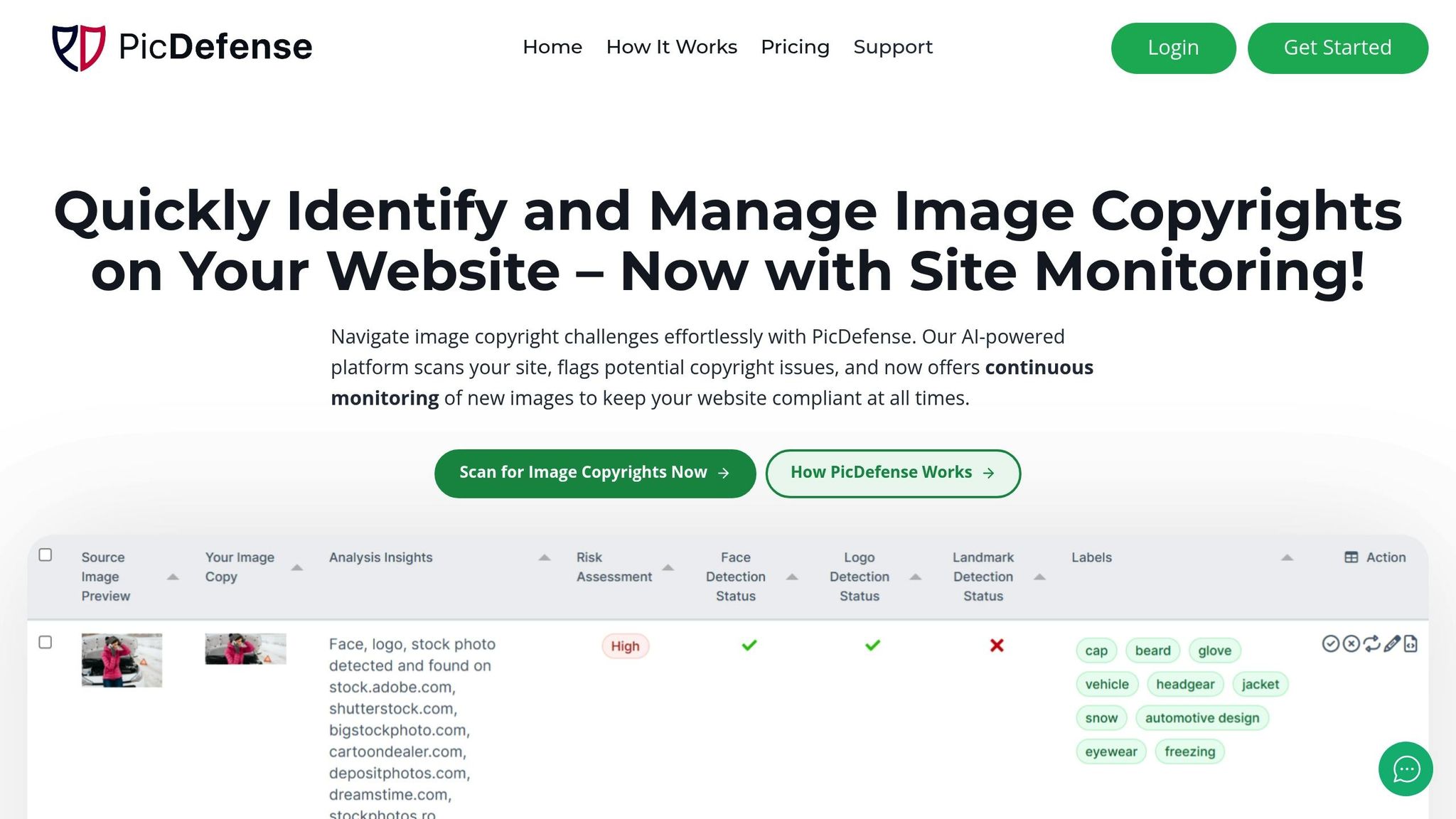
PicDefense.io is an all-in-one solution built for website owners who want to proactively prevent copyright infringement—not just react to it. With its proprietary risk-scoring algorithm, integrated reverse image search, and flexible credit-based pricing, PicDefense helps users automate compliance, document image permissions, and stay audit-ready—without needing legal expertise or third-party tools.
Key Features
PicDefense.io focuses on automating compliance and reducing risks, helping users avoid the hefty $150k-per-violation penalties.
Automated Compliance Monitoring
The platform continuously scans website content for licensing issues, even identifying altered or cropped images. It provides real-time alerts for:
- Expired licenses
- Improper usage
- Missing attributions
- Possible copyright violations
Seamless Integration
PicDefense.io works seamlessly on virtually any website—no plugin or CMS dependency required. Simply provide your domain, and our automated crawler will scan your entire site, retrieve all image URLs, and generate a complete compliance analysis.
- PicDefense.io works on any website
- No CMS plugins required
- Uses automated site crawling to find all your images
Flexible Pricing Options
| Plan | Price | Coverage |
|---|---|---|
| Monitoring Service | $30/month | 150 images. Extra $0.15 per image |
| Pay-As-You-Go | From $20 | 100-100,000+ images |
Risk Management Tools
PicDefense's proprietary PicRisk score synthesizes reverse image data, EXIF metadata, and known enforcement history (e.g., stock agencies or copyright trolls) to deliver actionable compliance insights. It flags high-risk images instantly—saving users from hours of manual audits.
2. Bynder
For businesses focused on brand management, Bynder provides a DAM platform tailored to handle branding needs while complementing PicDefense.io's compliance-first approach. Bynder's system uses AI-powered tagging and centralized rights management to efficiently manage 55 million assets annually for enterprise clients [12].
Key Features for License Management
Bynder's built-in AI verification tackles challenges like synthetic media, aligning with today's copyright concerns.
| Category | Key Functions |
|---|---|
| Tracking | Expiration alerts, usage monitoring |
| Compliance | Permission controls, approval workflows |
| Asset Organization | AI tagging, brand portals |
Performance for Enterprises
Bynder's scalable design is ideal for companies with complex licensing demands. Users have reported noticeable improvements:
Seamless Integrations
Bynder integrates with tools like Adobe CC and various CMS platforms, ensuring licensing rules are applied throughout content workflows.
Brand Portal Features
Organizations can create white-label asset hubs, offering controlled libraries for different brands or teams. These portals help address AI-generated content risks by maintaining clear ownership records - an issue highlighted earlier in this article.
Pricing Details
Bynder works on a custom pricing model based on the specific needs and asset volumes of each organization [10].
"Bynder has been recognized as a Leader in the 2023 Gartner® Magic Quadrant™ for Digital Asset Management." [12]
With a 4.3/5 rating from 237 reviews on G2 [14], Bynder effectively combines brand-focused DAM tools with automated compliance features, making it a strong choice for enterprises.
3. Adobe Lightroom Classic
Adobe Lightroom Classic is a go-to tool for photographers and content creators who need both advanced editing capabilities and a way to manage image licenses effectively. It combines creative workflows with license tracking, making it a practical choice for managing digital assets in commercial settings.
Key License Management Features
Lightroom Classic simplifies license management through its metadata panel, which embeds license details directly into image files. Smart collections take it a step further by automatically organizing photos based on their license status [12].
| Feature Category | Capabilities |
|---|---|
| Metadata Management | Tracks copyright, usage rights, and custom presets |
| Organization | Offers smart collections and license-based filtering |
| Collaboration | Enables Creative Cloud sharing and version tracking |
| Security | Ensures secure cloud synchronization |
Enhanced Rights Management
One standout feature is Lightroom Classic's facial recognition technology. It helps streamline model release documentation by automatically identifying subjects in photos [5]. Additionally, built-in Adobe Stock tracking ensures that usage rights for stock images are always up to date.
How It Works in Practice
The metadata panel acts as the main hub for managing licenses. Here’s how users can leverage it:
- Add copyright details during the import process.
- Apply pre-set licenses to multiple images at once.
- Use smart collections to monitor and organize images based on usage rights.
- Generate detailed reports on the licensing status of your assets [12].
"Smart collections automatically organize images by usage rights [12]."
At $9.99/month as part of Adobe's Photography plan [14], Lightroom Classic combines top-notch editing tools with efficient license tracking. With a 4.4/5 rating from 1,724 reviews on G2 [10], it’s a trusted choice for photographers looking to streamline their workflows.
4. AssetSonar
AssetSonar is a tool designed to simplify license management for medium-to-large businesses. While it doesn't lean heavily on AI, it stands out for its ability to centralize license tracking and compliance data.
Key License Management Features
AssetSonar offers tools to keep your licenses organized and your team on track. Some highlights include:
| Feature | What It Does |
|---|---|
| License Tracking | Sends automated alerts for upcoming license expirations |
| Rights Management | Allows for tailored approval workflows |
| Compliance Tools | Tracks image usage with an audit trail |
| Integration Options | Offers API access and ready-to-use CMS plugins |
| Analytics | Provides customizable dashboards and detailed usage reports |
Compliance Tools for Enterprises
The platform includes an audit trail to monitor image usage and a version history tracker to log changes in license terms. For businesses managing large collections of assets, bulk editing tools make updates quick and easy.
How It Works
Pricing begins at $1.50 per asset per month [9]. Features include:
- Real-time monitoring via customizable dashboards
- Centralized control over metadata management
Integration Options
AssetSonar supports smooth workflows with:
- API access for custom integrations
- Single Sign-On (SSO) for easier access across systems
If your organization handles large image libraries, AssetSonar’s bulk editing tools and compliance tracking can save time and reduce headaches [4][5].
sbb-itb-59d21f2
5. Reprise License Manager
Reprise License Manager (RLM) offers a robust system for managing mixed software and image licenses. Originally designed for software, it now extends its capabilities to protect digital assets, including image rights.
Core Capabilities
| Feature | Description |
|---|---|
| License Models | Handles device-specific, shared-access, and credit-based permissions |
| Deployment Options | Available as both cloud-based and on-premises solutions |
| Administration | Provides real-time monitoring through a user-friendly dashboard |
| Integration | Offers API access for seamless custom system connections |
RLM's token-based system is especially effective for managing temporary access rights to AI-generated content.
Advanced Monitoring Features
RLM includes a dashboard that tracks active licenses and creates compliance-ready audit trails by documenting every licensing transaction.
Cost Optimization
RLM significantly reduces the costs of license administration - up to 90% compared to traditional systems. This is achieved through features like:
- Automated renewals
- Centralized controls
- Bulk license management
- Detailed usage analytics
Security and Compliance
RLM incorporates strong encryption protocols, as seen in PicDefense.io, and includes additional license-specific protections:
- Regular security updates and patches
- Automated activity logging for compliance
Integration Capabilities
With API connectivity, RLM integrates smoothly with existing CMS and DAM systems, while also supporting tailored workflows to match organizational needs.
Standout Feature: License Borrowing
One of RLM's standout features is its license borrowing capability. This allows users to access licenses offline - ideal for teams working in areas with limited connectivity [1].
This solution is particularly well-suited for organizations that need flexible license models and enterprise-level administration tools [12].
6. Copyrights.ai

Copyrights.ai leverages AI-driven image fingerprinting and blockchain to simplify license tracking. Its system boasts a 99.8% accuracy rate in detecting unauthorized use of AI-generated images, tackling ownership issues tied to AI-created content as highlighted in the Image License Risks section [2].
The platform uses blockchain to create secure ownership records and streamline licensing transactions. By 2024, it had processed over 1 million copyright registrations, cutting registration time by 90% and earning a 4.7/5 user satisfaction score [2] [12] [13].
License Management Features
- Unique digital signatures for image fingerprinting
- Real-time monitoring to spot unauthorized use
- Automated DMCA takedown notices
- Analytics to predict violation patterns
- Standard copyright registration tools
- Monitoring for Creative Commons compliance
- Tracking for rights-managed usage
- Custom agreement support
Global Compliance and Accessibility
- Adapts to region-specific legal requirements
- GDPR-compliant data handling
- Available in 12 languages
- Pricing starts at $9.99/month for individuals, with custom plans for enterprises [9]
Built to handle large-scale needs, the platform offers bulk processing similar to AssetSonar. It also supports automated tracking for Creative Commons, rights-managed, and custom agreements [1] [4].
7. Snow License Manager
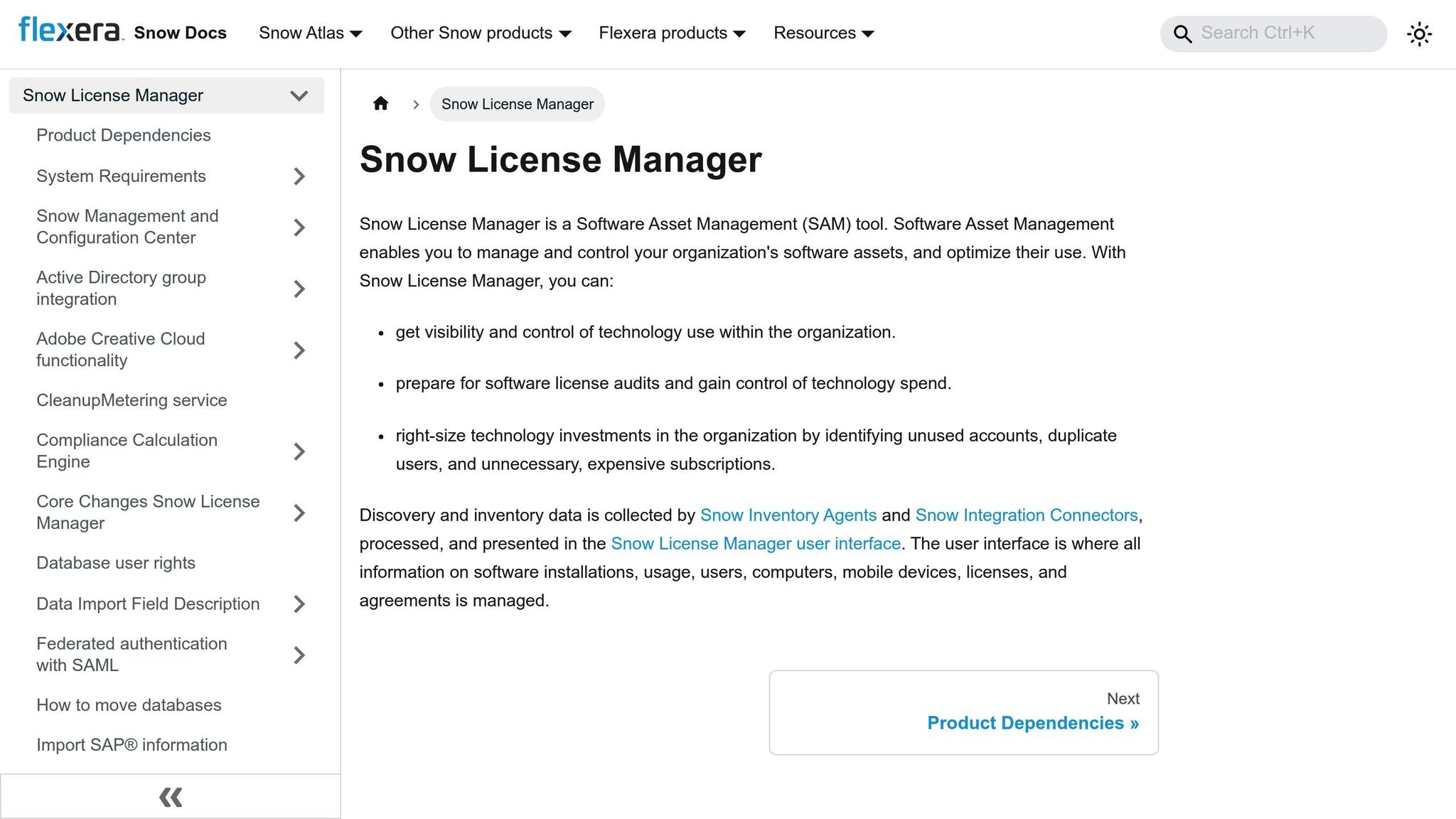
Snow License Manager offers a powerful solution for managing digital assets, including website image licenses. With the growing use of AI-generated content (as highlighted in Image License Risks), Snow provides tools to tackle modern licensing challenges, serving over 4,000 enterprises globally.
The platform uses AI to organize licenses across various platforms, integrates seamlessly with DAM systems, and delivers real-time compliance updates along with risk notifications.
| Feature | Description |
|---|---|
| License Recognition | AI-driven categorization of different license types |
| Compliance Monitoring | Tracks usage rights and restrictions in real-time |
| Integration Support | Connects directly to major DAM systems |
| Risk Assessment | Analyzes usage patterns to identify potential risks |
| Cost Optimization | Suggests ways to consolidate and save on licenses |
Advanced Security
Snow License Manager includes a security framework designed to reduce operational headaches, like audit preparation time. It safeguards license data while ensuring compliance with industry standards [4][7].
Smarter Cost Management
The platform’s analytics tools spotlight underused licenses and forecast future needs using pattern recognition. This helps businesses allocate budgets more effectively based on actual usage [5][4].
Tailored Implementation
Snow provides technical assistance and customized onboarding to support enterprise-wide deployments. Its expertise in managing multinational license portfolios makes it ideal for distributed teams [4][7].
8. DigiGuardian IP Manager
DigiGuardian IP Manager helps organizations detect unauthorized image use with an impressive 99.7% accuracy [1]. Since 2022, it has helped recover $5 million in licensing fees [9]. It tackles the challenges posed by AI-generated content by verifying ownership, even for modified assets.
AI-Powered Protection
DigiGuardian takes image detection to the next level with geographic tracking for global operations. Its AI-driven engine scans websites and digital platforms non-stop for copyright violations. It can spot matches even when images are altered, sending real-time alerts and initiating automated DMCA enforcement when necessary.
| Category | Key Capabilities |
|---|---|
| Tracking | Bulk management, custom templates |
| Security | End-to-end encryption, MFA |
| Integration | CMS API connections |
| Monitoring | Geographic usage tracking |
| Reporting | Custom compliance analytics |
Enterprise-Grade Management
Designed to handle massive image libraries, DigiGuardian is perfect for large organizations. It supports international licensing needs with features like:
- Multi-language license agreements
- Region-specific compliance checks
- Automated currency conversion
These tools address risks highlighted in the Image License Risks section, particularly for industries like e-commerce.
Real-World Impact
"After implementing DigiGuardian IP Manager, we reduced our license management time by 75% and identified over 50 cases of unauthorized image use through automated alerts", shared a leading e-commerce client [4].
This showcases how the platform delivers both time savings and operational efficiency, as discussed in the Hidden Costs analysis.
Affordable Pricing
Plans start at $49/month for managing up to 1,000 images, with custom enterprise pricing that includes dedicated support [9]. DigiGuardian IP Manager holds a 4.7/5 rating on G2 from 89 reviews [9]. Future updates will include advanced AI tools for detecting AI-generated images [4].
Tool Features Comparison
When choosing a solution, focus on tools that align with your organization's specific risk profile and workflow needs. Unlike other tools that require third-party services, PicDefense.io’s reverse image search is fully integrated, letting users trace image origins, discover duplicates, and flag unlicensed assets—all in one scan.
Implementation Considerations
After analyzing interfaces and customer feedback, tools can be grouped into three categories:
Tier 1 (Easiest to Use)
- PicDefense.io: Features a modern interface with drag-and-drop functionality.
- Copyrights.ai: Offers a straightforward, step-by-step copyright registration process.
- Bynder: Provides a clean, customizable dashboard with role-based access controls.
Tier 2 (Moderate Difficulty)
- Adobe Lightroom Classic: Familiar setup, especially for Creative Cloud users.
- AssetSonar: Includes guided workflows tailored for IT asset management.
Tier 3 (Requires Technical Knowledge)
- DigiGuardian IP Manager, Snow License Manager, Reprise License Manager: Built for IT professionals with advanced technical skills.
Integration Capabilities
Integration options are key to implementing the compliance features discussed earlier. Here are some standout connectivity options:
- PicDefense.io: Plugins for WordPress and Shopify.
- Bynder: Adobe Creative Cloud connectors for seamless integration.
- Adobe Lightroom Classic: Syncs natively with other Adobe apps.
Support and Training Options
Support offerings vary from comprehensive enterprise agreements to self-service options. Here's what some tools provide:
- Bynder: Dedicated success managers and access to an online training academy.
- PicDefense.io: 24/7 support, including video tutorials.
- Snow License Manager: Professional services tailored for enterprise needs.
- Copyrights.ai: Self-service help center with detailed resources.
Setup and Usage Guide
Follow these steps to set up and use image license management tools effectively:
Initial Configuration
Start with these essential steps:
- Account Creation: Verify ownership of your domain.
- Website Integration: Install plugins for platforms like WordPress or Shopify, or use API connections.
- Image Inventory Setup: Conduct a site crawl to create a database of your images.
- License Alert Configuration: Customize notifications for expiring licenses.
License Documentation Setup
Properly document license details to stay compliant.
-
Add License Information:
- Include expiration dates for individual images or bulk uploads.
- Add usage rights data in IPTC fields.
- Set gallery-level expiration dates for collections with shared terms.
-
Configure Alerts:
- Notify 30 days, 14 days, and on the day of license expiration.
-
Automated Safeguards:
- Apply watermarks to expired images automatically.
- Restrict access to expired content.
- Track usage of downloaded assets.
Integration Best Practices
Streamline your workflow by integrating the tool with your current systems.
-
CMS Integration:
- Use pre-built connectors for platforms like HubSpot and Drupal.
- Sync with cloud storage.
- Define permissions for different user roles.
-
Workflow Automation:
- Automatically timestamp compliance actions.
- Centralize document management.
- Monitor usage analytics in real time.
- Generate compliance reports.
Advanced Configuration Tips
For enterprise tools like Snow License Manager or DigiGuardian IP Manager:
- Enable cross-account resource discovery and live tracking dashboards.
- Configure automated processes to stop tracking uninstalled software.
- Set exclusion rules based on specific licensing terms.
Maintenance Requirements
Keep your system running smoothly with regular upkeep:
- Audit license documentation frequently.
- Update notification settings as needed.
- Monitor usage stats to spot compliance issues.
- Use centralized virtual storage for document management.
Consistent maintenance reduces risks and ensures your licenses remain secure.
New AI Protection Methods
AI is now integrating blockchain verification and anti-tampering technology to safeguard image licenses. These tools add extra layers of security to the automated compliance systems discussed earlier, leveraging advanced tech to protect digital assets.
Blockchain-Based Verification
Blockchain is playing a key role in image protection. One standout example is MIT's PhotoGuard, which uses two distinct approaches to shield images from unauthorized changes:
- Encoder Attack: Secures the image's hidden data representation.
- Diffusion Attack: Adds subtle disturbances to prevent manipulation.
"The progress in AI that we are witnessing is truly breathtaking, but it enables beneficial and malicious uses of AI alike. It is thus urgent that we work towards identifying and mitigating the latter. I view PhotoGuard as our small contribution to that important effort." – Aleksander Madry, MIT Professor [15]
Reuters, in collaboration with Canon and Stanford's Staling Lab, is testing a verification system that embeds cryptographic data into images as they are created. Each image gets a unique hash value, timestamp, and location, which are then stored on a public blockchain. Users can confirm an image's authenticity by checking its hash.
AI-Powered Anti-Tampering Systems
EditGuard offers another layer of protection with highly accurate detection capabilities: 95% precision in identifying tampering and near-perfect copyright enforcement [16]. This system combines invisible watermarking with AI-driven behavioral monitoring, analyzing user actions like mouse movements and typing patterns to detect suspicious activity in real time.
Emerging Protection Standards
| Protection Layer | Technology | Primary Benefit |
|---|---|---|
| Creation | Cryptographic embedding | Verifies image authenticity |
| Distribution | Blockchain registration | Tracks usage transparently |
| Usage | AI behavioral analysis | Detects anomalies as they happen |
These methods enhance security while maintaining image quality. Together with earlier compliance tools, they provide a more comprehensive approach to protecting digital assets.
Wrapping Up
Choosing the right image license management tool is crucial for protecting your digital assets. The best choice will depend on your organization's specific needs. Free-tier options can cover basic requirements for those on a tight budget, while enterprise-level platforms offer more advanced protections.
When assessing tools, focus on these must-have features:
| Priority | Feature | Why It Matters |
|---|---|---|
| High | License Compliance Tracking | Avoids legal troubles and costly fines |
| High | Centralized Asset Management | Simplifies team access and organization |
| Medium | Integration Capabilities | Improves overall workflow |
| Medium | AI-Powered Scanning | Flags copyright risks automatically |
To streamline your process, make it a habit to log license details during uploads, enforce role-based access, use automated expiration alerts, and ensure metadata is kept up-to-date. Platforms like PicDefense.io showcase how far image license management has come, offering features like AI-powered scanning to spot potential copyright problems early.
As technology advances, tools like these are becoming essential for staying ahead of copyright issues. Whether you opt for a basic tool or a more advanced solution like PicDefense.io, managing licenses effectively safeguards your assets and ensures compliance.
Protect your website from image copyright claims
PicDefense scans your entire website, identifies image risks, and stores proof of compliance — so you never get caught off guard.