Using stock photos without proper licenses can lead to fines ranging from $3,000 to $150,000 per image. Even if you've purchased an image, failing to document and comply with licensing terms can result in legal action. Here's what you need to know:
- Verify the Source: Ensure the provider is authorized and check IPTC metadata for copyright infringement red flags.
- Match the License to Usage: Understand the differences between Commercial, Editorial, Royalty-Free, and Rights-Managed licenses. Misusing images labeled "Editorial Use Only" can lead to legal trouble.
- Save Documentation: Keep purchase receipts, license agreements, and image metadata. Use tools like spreadsheets or platforms like PicDefense for centralized tracking.
- Check for Releases: Ensure model and property releases are in place for commercial use.
- Audit Regularly: Remove unused images and verify compliance by checking image URLs for copyright or tools like PicDefense.
Key Tip: Organize your records and use automated tools to stay compliant. A single mistake can cost thousands in fines.
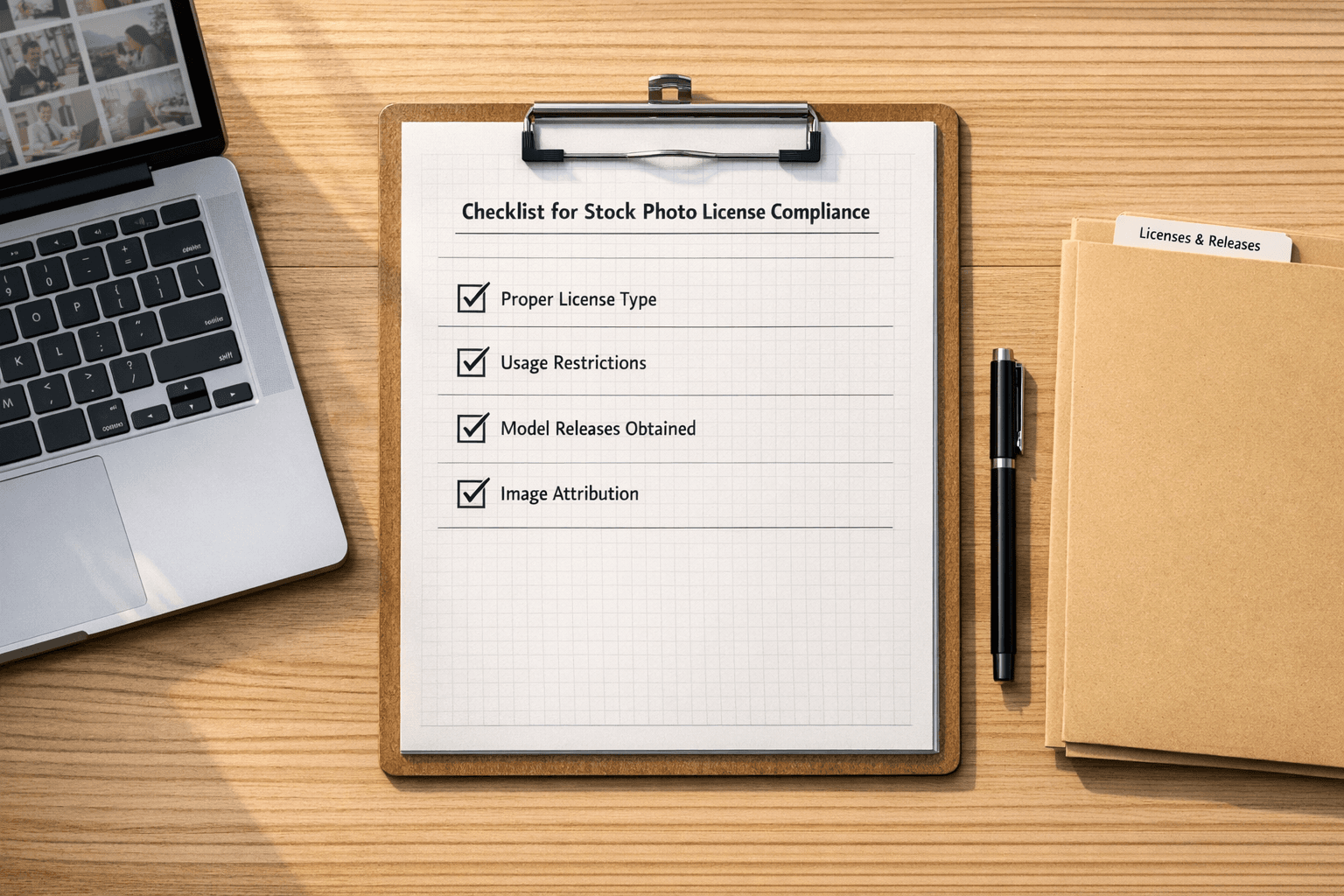
Before You Buy: License Selection Checklist
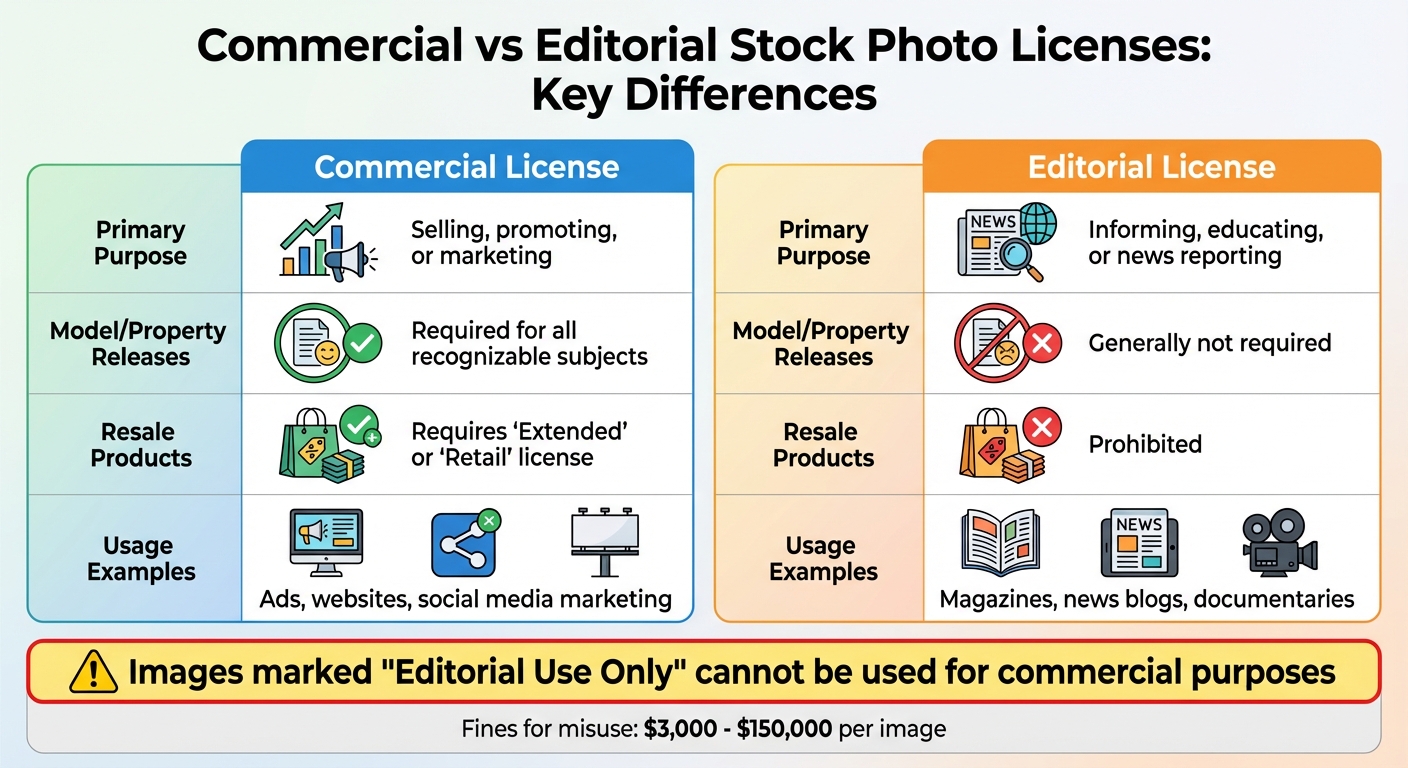
Commercial vs Editorial Stock Photo License Comparison Guide
Check Provider Credentials and License Options
It's crucial to confirm that the provider is either the original creator or an authorized licensing agent [7]. Professional platforms often include legal protections and indemnity clauses, while free sites typically don't offer these safeguards [5]. To ensure authenticity, use reverse image search tools like Google Images or TinEye to verify whether the image is available on reputable portfolios or major stock platforms [3].
"The core issue isn't just about avoiding lawsuits. It's about maintaining professional integrity and respecting the work of creators who depend on proper licensing for their livelihood." – Ivan Jackson [3]
Another essential step is to inspect IPTC metadata, which can provide details like the "Author", "Copyright", or "Copyright Info URL" [3]. Legitimate creators or agencies usually host the highest-quality version of an image [3]. For commercial use, trustworthy providers will also ensure that model and property release forms are signed for any recognizable faces or private properties in the image [5].
Match License Terms to Your Use Case
Make sure the license aligns with how you plan to use the image. Commercial licenses allow you to sell or promote products or services but require model releases for recognizable individuals. On the other hand, Editorial licenses are typically limited to non-promotional uses, such as news stories, textbooks, or documentaries [1][5]. If you're creating items for resale, like T-shirts or mugs, you'll need an Extended License [5].
| Feature | Commercial License | Editorial License |
|---|---|---|
| Primary Purpose | Selling, promoting, or marketing | Informing, educating, or news reporting |
| Model/Property Releases | Required for all recognizable subjects | Generally not required |
| Resale Products | Requires "Extended" or "Retail" license | Prohibited |
| Usage Examples | Ads, websites, social media marketing | Magazines, news blogs, documentaries |
Images labeled "Editorial Use Only" should never be used for ads, social media promotions, or product packaging [1][5]. Additionally, consider whether the license permits modifications, such as cropping or color adjustments, as some editorial or Creative Commons licenses may restrict these changes.
Review Usage Limits and Pricing
Pay close attention to usage restrictions. For example, standard licenses from platforms like iStock often cap physical print runs at 500,000 copies unless you upgrade to an extended license [5]. Many standard licenses also prohibit using images in trademarks, logos, or as standalone files for redistribution [5]. Be sure to check for any geographic limits (local vs. global use) or platform-specific restrictions (e.g., print, online, TV, or social media) [6][5].
Royalty-Free (RF) licenses are a flat-rate option that allows unlimited use over time without additional fees. In contrast, Rights-Managed (RM) licenses are priced based on factors like audience size, duration, and geographic reach [6][7]. Standard stock photo licenses typically range from $10 to $500, depending on the provider and image quality. Some subscription-based services may also require that downloaded images be used within a specific time frame, often 30 days after the subscription ends [5].
To stay organized, document everything before making a purchase. Keep a spreadsheet that includes the image thumbnail, download date, source link, reference numbers, and a copy of the license PDF [4]. This meticulous record-keeping will make compliance much easier down the road.
License Documentation and Record-Keeping
Save Purchase Information
When you buy an image, make sure to document key details like the purchase date, download date, provider name, and any unique reference numbers. These records are essential if you ever face a copyright dispute.
Keep all receipts, invoices, and email confirmations as they serve as your primary proof of legal ownership. Don’t forget to save the full license agreement, often available as a PDF, and note the type of license - whether it’s Royalty-Free, Rights-Managed, or Creative Commons. To make things easier during audits, keep a small thumbnail of the image along with its original name (e.g., "Goldfish Jumping into a Bowl of Money").
"Even when the website owner has paid for the image, if they can't prove it, they may be liable to a hefty fine." – Square Eye [1]
Track where every image is used, whether it’s on a blog, social media, or internal presentations. A centralized spreadsheet in Excel or Google Sheets can be a lifesaver for organizing image names, download dates, source links, and usage locations.
Download and Store License Files
Always download and save license agreements and purchase confirmations as PDFs. If you lose access to your email or account, these files will still serve as proof of ownership.
Consider embedding ownership details directly into the image file using IPTC metadata fields. This ensures that copyright notices and licensing terms stay with the image wherever it’s used. For high-value or commissioned work, keep the original RAW files as a definitive proof of ownership.
In your website’s media library (like WordPress), add notes in the description field to reference the image’s source and license status. Regularly review your media library to remove unused images, which can simplify compliance tracking.
For large-scale management, tools like PicDefense can streamline this process.
Centralize Records with PicDefense
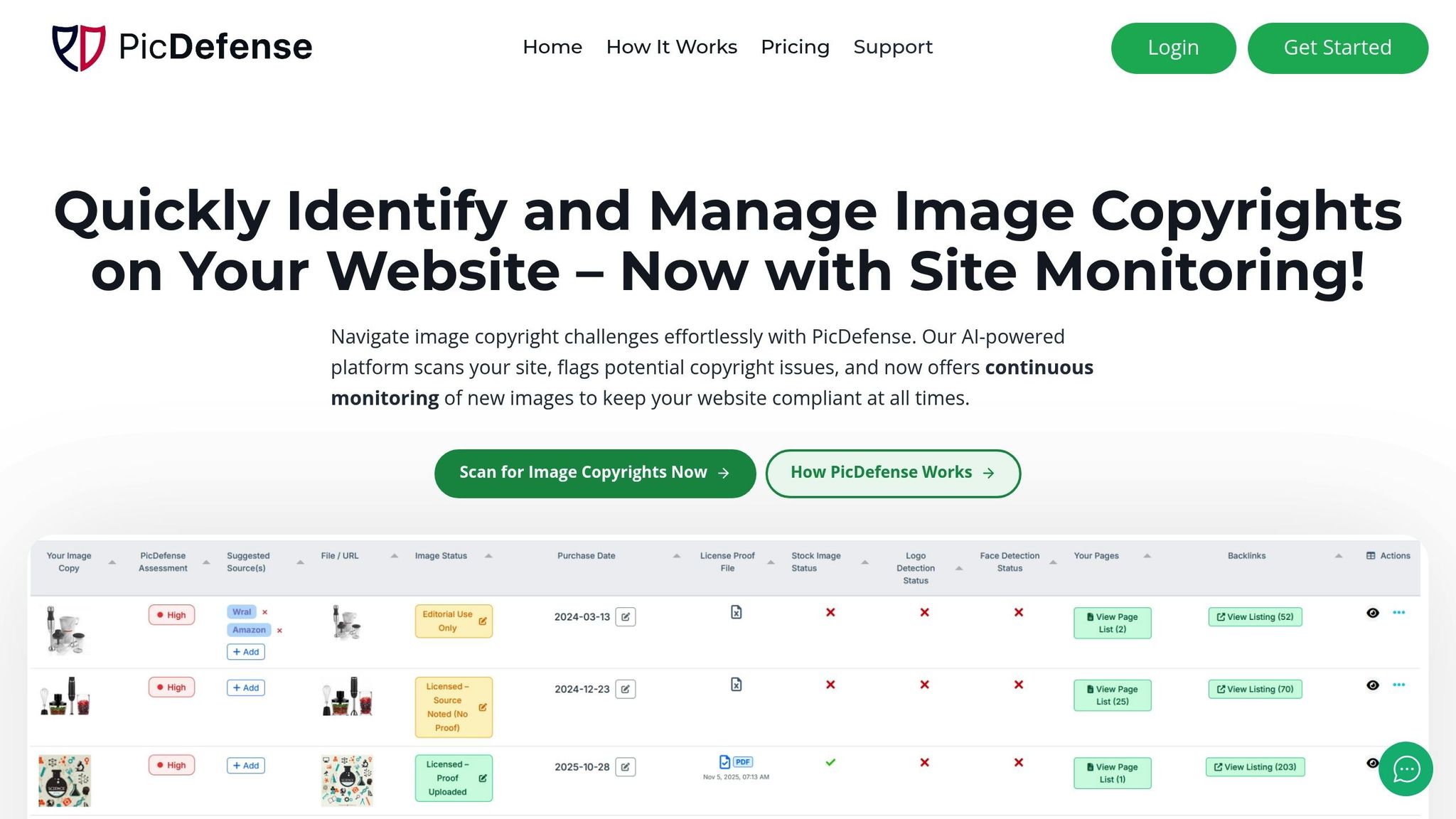
While manual record-keeping is crucial, relying solely on spreadsheets and scattered files can lead to compliance gaps. PicDefense offers a solution by consolidating all your documentation in one place. It tracks receipts, purchase dates, and license files while generating audit-ready reports - saving you from digging through old emails.
The platform scans your website to create a complete image inventory and helps document licensing details, including source attribution and purchase dates. With everything centralized, you can respond to copyright claims quickly and effectively.
PicDefense also makes it easy to retrieve records during audits, which can protect you from potential infringement fines that range from $3,000 to $150,000 per image.
Usage Rights Verification Checklist
Match Your Usage to License Terms
Once you've saved your documentation, it's time to ensure your actual usage aligns with the terms of your license. This is a critical step where many businesses unintentionally venture into infringement territory.
Start by identifying the type of license you have - Royalty-Free, Rights-Managed, or Exclusive. Royalty-Free licenses generally allow unlimited use across time and location for a one-time fee, but there are still restrictions. For instance, you can't resell the image as-is or use it in a trademarked logo [3][5]. Rights-Managed licenses, on the other hand, are more specific. They often limit usage to a particular purpose, timeframe, or geographic region, requiring a new license for any additional applications [3][5].
Pay attention to modification rights. Some licenses allow basic edits like cropping or color adjustments, while others require significant transformation of the work to avoid infringement [6][9]. Additionally, embedding third-party social media posts can be risky and might be considered infringement. Linking to the original source is a safer option.
Most standard licenses prohibit certain uses, such as integrating the content into trademarks, redistributing it as standalone files, or using it in defamatory contexts [5][9]. For example, iStock licenses typically cap physical print runs at 500,000 copies, after which an extended license is needed [5].
Lastly, ensure all identifiable individuals and trademarks in the image are properly cleared before proceeding.
Check for Rights of Publicity and Trademark Issues
Even if you have a valid license, problems can arise if the image includes recognizable people or protected trademarks. Images marked as "Editorial use only" are a prime example. These are limited to news, blogs, or educational purposes and cannot be used for commercial promotion because they lack the necessary model and property releases [1][5].
For commercial use, you'll need a signed and dated model release for any identifiable individuals to protect against rights of publicity claims [8]. Similarly, images featuring logos, trademarks, or private landmarks require property releases for commercial applications.
"Images marked as 'Editorial use only' cannot be used for commercial use." – Squareeye [1]
Check the embedded metadata for creator and licensing details [3]. This metadata often contains critical information about terms and restrictions that may not appear on the download page.
If you're unable to verify the release status or original source, it's safer to remove the image and find a verifiable alternative. A study revealed that 82% of online images in the US and EU have been altered or can be traced back to protected works [3], making thorough verification essential.
Scan Images with PicDefense AI Tools
Manually verifying image rights across multiple platforms can be a tedious process. PicDefense simplifies this with advanced automated tools for risk analysis.
The platform extracts EXIF metadata to uncover hidden ownership details, uses face and logo detection to flag potential rights of publicity concerns, and performs reverse image searches through tools like TinEye and Google Vision to trace the image's digital origins [3]. This helps confirm whether the source you purchased from is the legitimate rights holder.
PicDefense also assigns a PicRisk rating to each image, offering an actionable score that highlights which images may require immediate attention. While the system can suggest potential sources through backlink analysis, you’ll still need to document and confirm the licensing details yourself.
For WordPress users, PicDefense integrates directly with your media library, making it easy to scan your entire site and cross-reference images with major stock platforms like Getty Images, Adobe Stock, or Shutterstock [3]. This feature is especially valuable, as unauthorized use of copyrighted material can result in statutory damages of up to $30,000 per work - or up to $150,000 if the infringement is determined to be willful [2].
This automated process complements your record-keeping efforts, ensuring every use aligns with your documented licenses.
sbb-itb-59d21f2
Maintenance and Risk Management
Track License Expiration Dates
Stock photo licenses often come with time limits or specific usage conditions. For instance, iStock requires images to be used within 30 days after a subscription ends - missing this deadline means your license is no longer valid [5].
To stay on top of these details, create a centralized tracking system. Use a spreadsheet to log essential information like image thumbnails, filenames, URLs, license types, download dates, and where the images are used [4][10]. Set calendar reminders for expiration dates to avoid any surprises.
Don’t rely on memory or scattered receipts. Regularly check your accounts on platforms like Getty, iStock, or Adobe Stock to review purchase histories and confirm license details [1][5]. Save license agreements as PDFs or take screenshots of the license page at the time of purchase, then store these alongside the image files. This documentation acts as your safety net in case of copyright disputes.
Routine audits can complement this tracking system to ensure ongoing compliance.
Run Regular Site-Wide Image Audits
As your collection of images grows, regular audits become a must to maintain compliance. Start by clearing out unused images from your media library. Tools like Media Cleaner Pro for WordPress can help by identifying and removing files that aren’t actively in use [1].
For images with unclear origins, try reverse image searches or inspect embedded metadata to verify ownership [1][3][8][11].
"The core issue isn't just about avoiding lawsuits. It's about maintaining professional integrity and respecting the work of creators who depend on proper licensing for their livelihood." – Ivan Jackson, AI Image Detector [3]
Document the entire audit process to show due diligence in case of future infringement claims. Adding notes in your CMS about each image's source and license status can also be helpful. According to a study, 82% of images online in the US and EU have been altered or can be traced back to protected works [3], highlighting the importance of thorough checks.
Automate Compliance Tasks with PicDefense
Automation can simplify compliance and reduce manual effort significantly.
PicDefense is one such tool that streamlines the process by creating smart workflows. It can whitelist verified images, flag high-risk ones, and send alerts for images missing documentation. The tool continuously scans your website for compliance issues [10] and generates audit-ready reports, making it easier to manage even large-scale operations.
The whitelist feature is particularly handy - it stops flagging approved images in future scans, cutting down on unnecessary alerts while ensuring unverified assets are still monitored. Plus, with API access through platforms like Zapier and Make.com, you can integrate compliance checks directly into your content workflow.
"A layered, methodical approach is what truly protects you from a surprise infringement claim down the road." – Ivan Jackson [3]
With the AI image recognition market expected to grow from $5.68 billion in 2026 to $11.07 billion by 2031 [3], tools like PicDefense are becoming more critical. The real question isn’t whether to automate compliance tasks, but how quickly you can implement systems to protect your business from copyright claims, which can range from $3,000 to $150,000 per image.
Conclusion
Having organized stock photo licenses can shield your business from costly copyright disputes, which can range anywhere from $3,000 to $150,000 per image. Even if every image on your site is paid for, failing to provide immediate proof of ownership when faced with a demand letter could still result in significant fines [1]. Stock image libraries actively monitor the web, often employing agencies to send notices to businesses, making this a matter of "when", not "if" [1][4]. The problem is only worsened by outdated and inefficient manual tracking systems.
Manual processes for tracking licenses are prone to errors and inefficiencies.
This is where PicDefense steps in to simplify compliance. PicDefense scans your website, organizes licensing details, and uses AI-driven risk analysis to flag potential issues. Its features - like automated audits, secure license storage, and tracking purchase dates for verification through archive.org - help create a strong, defensible record to protect your business.
With the AI image recognition market projected to grow from $5.68 billion in 2026 to $11.07 billion by 2031 [3], tools like PicDefense are becoming increasingly important for businesses aiming to stay compliant. Whether you choose to manage your licenses through spreadsheets or opt for a dedicated platform like PicDefense, you're not just avoiding legal risks. You're also upholding professional standards and supporting the creators who rely on proper licensing to sustain their work [3].
FAQs
What’s the difference between Royalty-Free and Rights-Managed stock photo licenses?
The key difference between Royalty-Free and Rights-Managed licenses comes down to how images can be used, their pricing, and the exclusivity they offer.
With a Royalty-Free license, you pay a one-time fee to use an image across multiple projects without worrying about extra charges. These licenses are typically non-exclusive, meaning others can use the same image, but they offer flexibility for repeated or broad use. This makes them a budget-friendly choice for many businesses.
In contrast, Rights-Managed licenses come with specific restrictions. These licenses often outline usage details like the duration, geographic area, medium, and exclusivity. If you need the image for a new campaign or purpose, you’ll likely need to purchase a separate license. Rights-Managed images tend to be more expensive, especially if you want exclusive rights to the content.
Knowing these differences is crucial to stay compliant and avoid licensing issues, especially when using stock photos for marketing or website content.
What steps should I take to ensure my use of stock photos is legally compliant?
When using stock photos, the first step is to secure the proper licenses for every image you plan to use. Carefully review the terms of use associated with each license to understand any limitations or restrictions on how the image can be used. This step is critical to avoid any unintentional misuse.
Keep a detailed record of everything - proof of purchase, licensing agreements, and relevant metadata. These documents serve as your safety net in case any disputes arise down the line.
Another key point is verifying the source of your images. Make sure the images are free from copyright issues and come from reputable platforms. To stay organized, consider using tools or platforms that are specifically designed to manage image compliance. These tools can help you keep track of licenses, monitor usage rights, and flag any potential risks.
By staying on top of your documentation and proactively managing compliance, you can protect your business from expensive copyright claims and legal headaches.
What should I do if I receive a copyright infringement notice for a stock photo?
If you get a copyright infringement notice for a stock photo, the first step is to gather all your documentation. This includes purchase receipts, license agreements, or any proof that shows you have the right to use the image. Then, take a close look at the terms of your license to make sure your usage aligns with what you’ve purchased.
If you can’t find the necessary paperwork, dig into the image’s origin and licensing details. You might need to check the metadata, do a reverse image search, or contact the stock photo provider to clarify the situation. To handle the notice properly and avoid further complications, consider consulting a legal professional who can guide you through the best course of action.
Protect your website from image copyright claims
PicDefense scans your entire website, identifies image risks, and stores proof of compliance — so you never get caught off guard.