Automating Compliance Hygiene: Stop “Compliance Drift”
Compliance is not a one-time event; it is a continuous process. Even if your website is clean today, a single upload by a team member, freelancer, or guest author can reintroduce risk tomorrow.
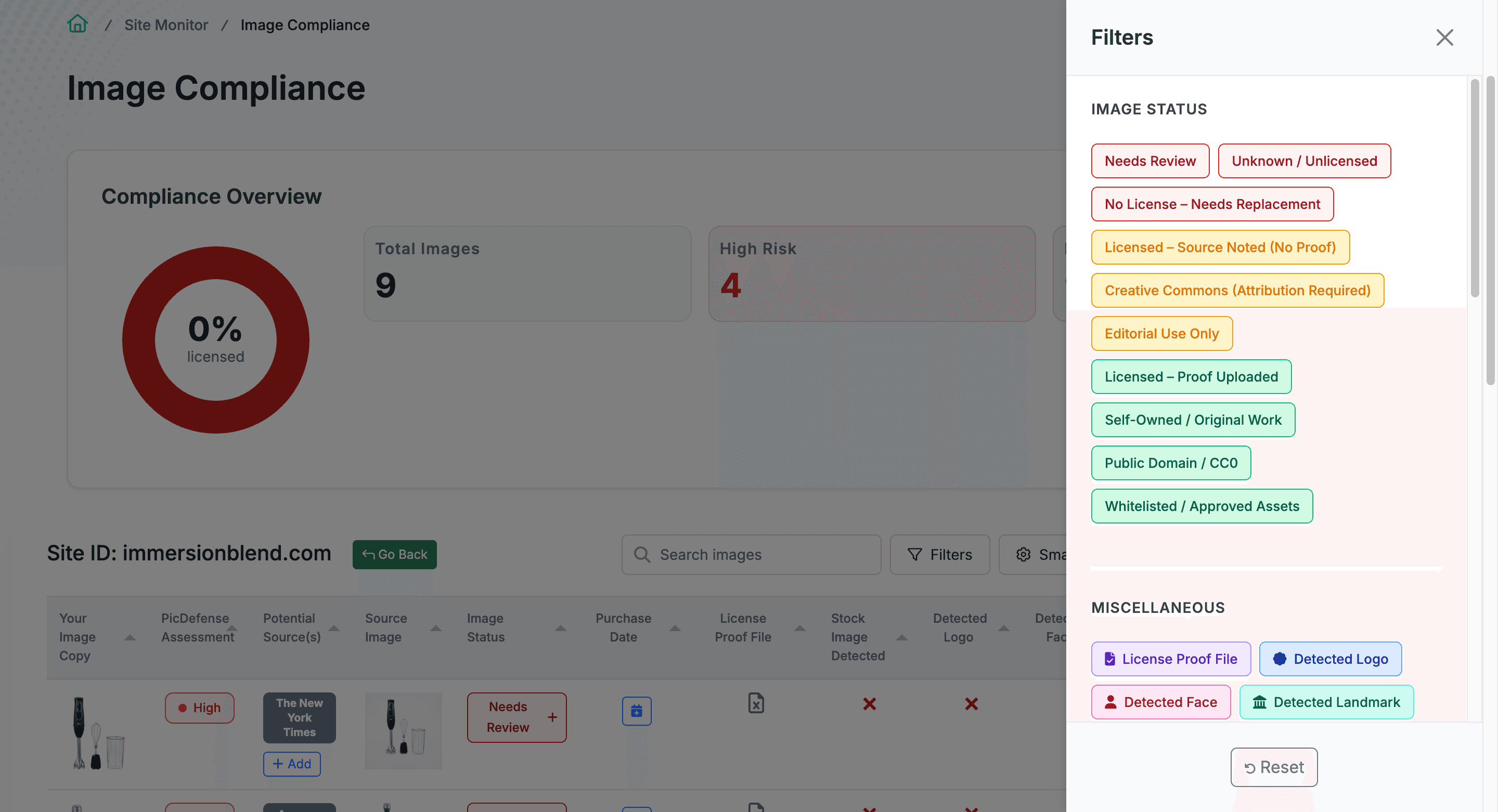
Scans every
7 Days, Automatically
Active Security, Not Just a Scanner
Site Monitoring transforms PicDefense from a simple scanner into an active security layer. Enforcement bots run 24/7; your defense cannot be a manual spreadsheet you check once a year.
Automated Weekly Scans
We run automated scans to detect newly added images on your site. Your digital estate is checked every 7 days without any manual effort.
The "Delta" Workflow
Once your baseline is established, we monitor the delta—ignoring the safe images we already know and analyzing only the new ones. 10 new blog posts with 20 new images? Your next report only analyzes those 20.
Instant High-Risk Alerts
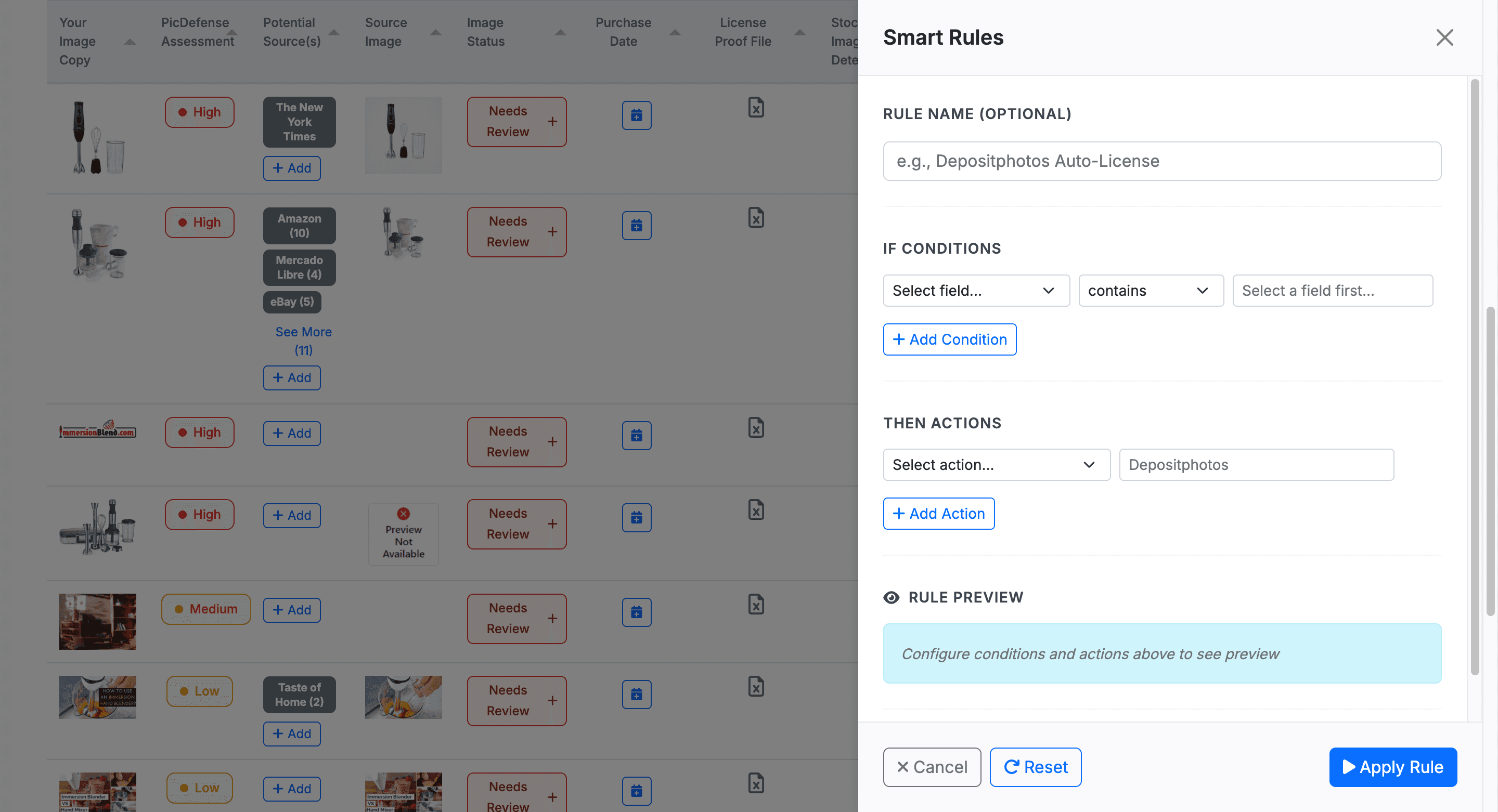
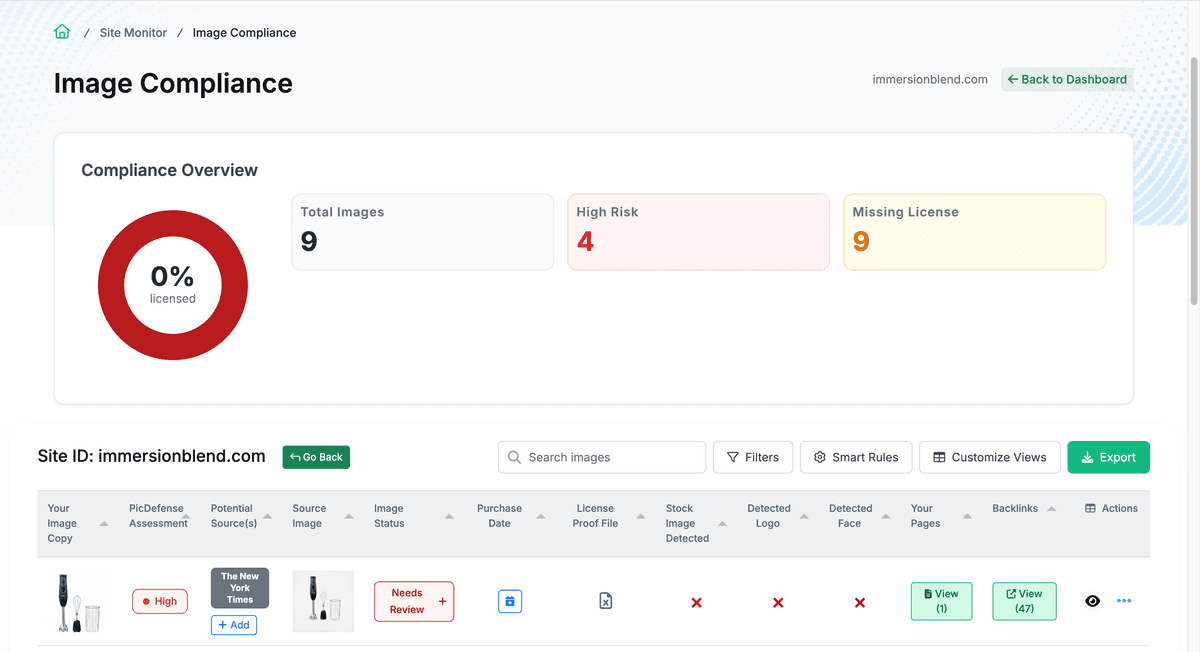
If any newly detected images are High Risk—found in a stock database but lacking a license record—you are notified immediately so your team can act before enforcement agencies do.
Catch the “Unknown Unknowns” First
By automating your hygiene, you catch unverified assets before enforcement agencies do.
When an alert fires, your operations team can immediately log into the Proof Vault, review the newly uploaded asset, and require the contributing author to provide the corresponding license or replace the image before a demand letter is ever generated.
Alert fires for new high-risk image
Team reviews asset in the Proof Vault
Author provides license or replaces image
Compliance status updated — threat neutralized
Catch threats
Before Enforcement Bots
Set Up Monitoring in Three Steps
From zero visibility to automated compliance in minutes.
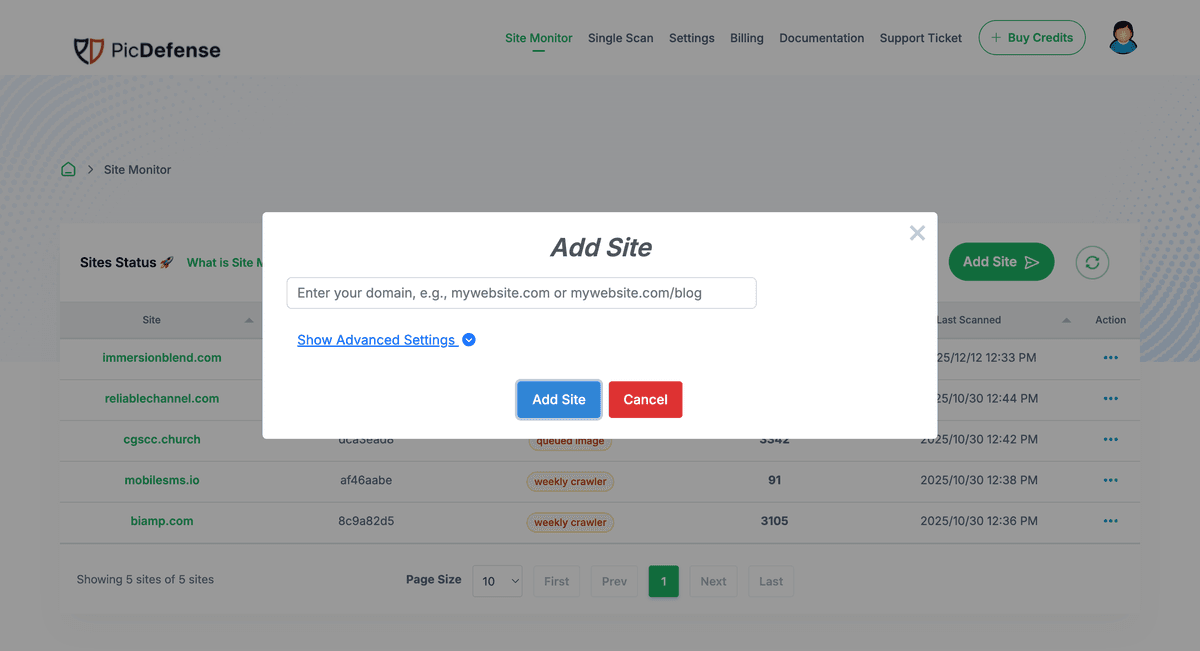
Add Your Website
Enter your domain and we begin the initial baseline crawl.
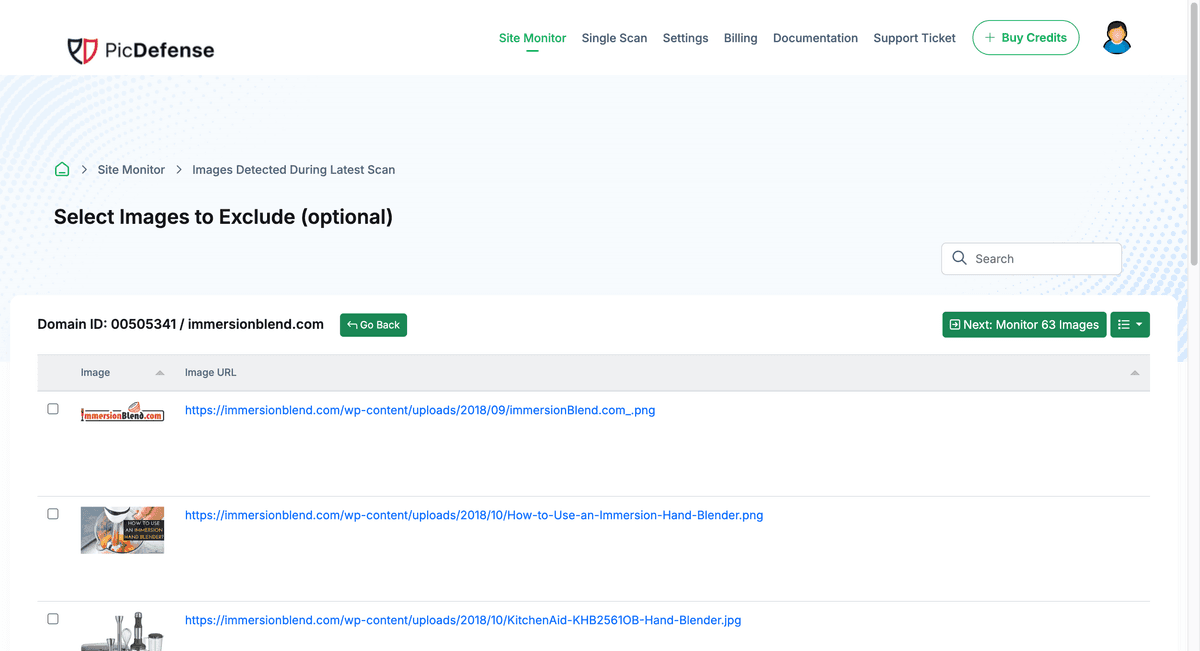
Configure Alerts
Set your scan schedule and notification preferences.
Review Weekly Reports
Each scan reports only new images. Act on high-risk alerts immediately.
Establishing Your Baseline
Before Site Monitoring can track new images, we need to establish a baseline and create a complete inventory of all images currently on your website.
This ensures a starting point for monitoring, so we only check for new images going forward. It also provides a comprehensive report of existing images, helping you assess your site's compliance status from the beginning.
Because this first baseline scan analyzes your entire historical library, it may incur a one-time initialization fee if your site exceeds the monthly allowance of your plan. Once the initial scan is completed, all future scans will only analyze newly added images.
How It Works
Initial Baseline Scan
Crawls your entire site to index all existing images. This is your starting inventory.
Weekly Delta Scans
Every 7 days, only new images are analyzed. Known safe images are skipped entirely.
High-Risk Alerts
If a new image matches a stock database without license proof, your team is notified immediately.
Monitoring Plans
Choose the plan that matches your portfolio size. Unused monthly credits roll over indefinitely.
Starter
$30 / month
- 3 sites monitored
- 150 included scans / month
- $0.15 / extra image
- Unused credits roll over
- Weekly automated scans
Pro
$75 / month
- 8 sites monitored
- 500 included scans / month
- $0.14 / extra image
- Unused credits roll over
- Weekly automated scans
Agency
$150 / month
- 20 sites monitored
- 1,200 included scans / month
- $0.13 / extra image
- Unused credits roll over
- Weekly automated scans
- Multi-client dashboard. Learn more
Frequently Asked Questions
Common questions about Site Monitoring and compliance automation.
What is the baseline scan and why does it happen first?
Before monitoring can track new images, we need a complete inventory of what already exists on your site. This one-time baseline crawl indexes every current image so that future weekly scans only analyze the delta—newly added assets. If your site has more images than your plan’s monthly allowance, the extra images incur a one-time initialization fee.
How often does Site Monitoring scan my website?
Monitoring runs automated scans every 7 days. Each scan detects newly uploaded images since the last check and runs them through the Risk Forensics engine. Your team is alerted immediately if any new high-risk images are found.
What happens if my team uploads a risky image between scans?
At the next weekly scan, the new image will be detected, analyzed, and flagged. You will receive an alert with the risk assessment so your team can take action—either upload a license to the Proof Vault or replace the image—before enforcement agencies discover it.
Can I monitor multiple websites from one dashboard?
Yes. Every monitoring plan supports multiple sites. The Agency plan monitors up to 20 websites from a single multi-tenant dashboard with individual compliance reports per property.
Do unused monthly scans roll over?
Yes. Unused credits from your monthly allowance roll over indefinitely. This builds a buffer for months when your team publishes a high volume of visual content.
The Complete Compliance Lifecycle
Site Monitoring is the final pillar. See how it connects to the rest of the platform.
Close the Door Behind You.
You've cleaned up your current inventory. Now, set up automated monitoring to ensure your digital estate stays protected week after week.
Legal Disclaimer
PicDefense is a technology platform, not a law firm. Site Monitoring provides automated image detection and compliance tracking. It does not constitute legal advice. If you are unsure of your legal standing regarding a copyright claim, we strongly recommend consulting an Intellectual Property attorney.