Website Image Inventory: Discover the “Unknown Unknowns”
You cannot defend what you haven't indexed. Our deep-crawling engine maps every visual asset across your entire domain to establish your compliance baseline.
Discovers images across
Pages, CDNs & Subdomains
The “Unknown Unknowns” Problem
Your digital estate is a massive liability. Over the years, your website has been touched by multiple developers, freelance writers, guest bloggers, and marketing agencies. Do you know where every single image came from?
Past Developers & Freelancers
Every contractor who ever touched your site may have uploaded images from unknown sources. When they left, their image choices stayed behind.
Forgotten Blog Archives
A single unlicensed stock photo uploaded to a forgotten blog post three years ago carries the exact same financial liability as an image on your homepage.
Third-Party Plugins & Themes
Themes and plugins often bundle stock photography with ambiguous licensing terms. If the plugin author didn’t properly license the images, the liability falls to you.
The Website Image Inventory engine eliminates the blind spots by automatically indexing every public-facing visual asset on your server.
Deep-Crawl Technology
Enforcement agencies use highly sophisticated bots to scrape the web. Simple, manual page-by-page scanners are not enough to protect you. Our Inventory Engine acts as a forensic crawler designed to match the prosecution's technology.
Comprehensive Domain Mapping
We crawl deeply nested assets, hidden directories, and paginated archives — designed to capture images across even the most complex site structures.
CDN & Subdomain Support
Images hosted on Content Delivery Networks or isolated subdomains are tracked and indexed. If it’s publicly accessible under your domain, our crawler is designed to find it.
Visual Deduplication
We collapse byte-identical copies of an image into one asset record — but we also catch the same picture re-encoded as a different file. A photo saved as JPEG on one page and WebP on another, resized, or recompressed has different bytes, yet our perceptual matching recognizes it as the same visual asset and rolls it up. Near-identical variants are grouped together so you review and license them as one.
Forensic-grade
Deep-Crawl Engine
Three Steps to a Complete Inventory
From unscanned domain to full compliance baseline in minutes.
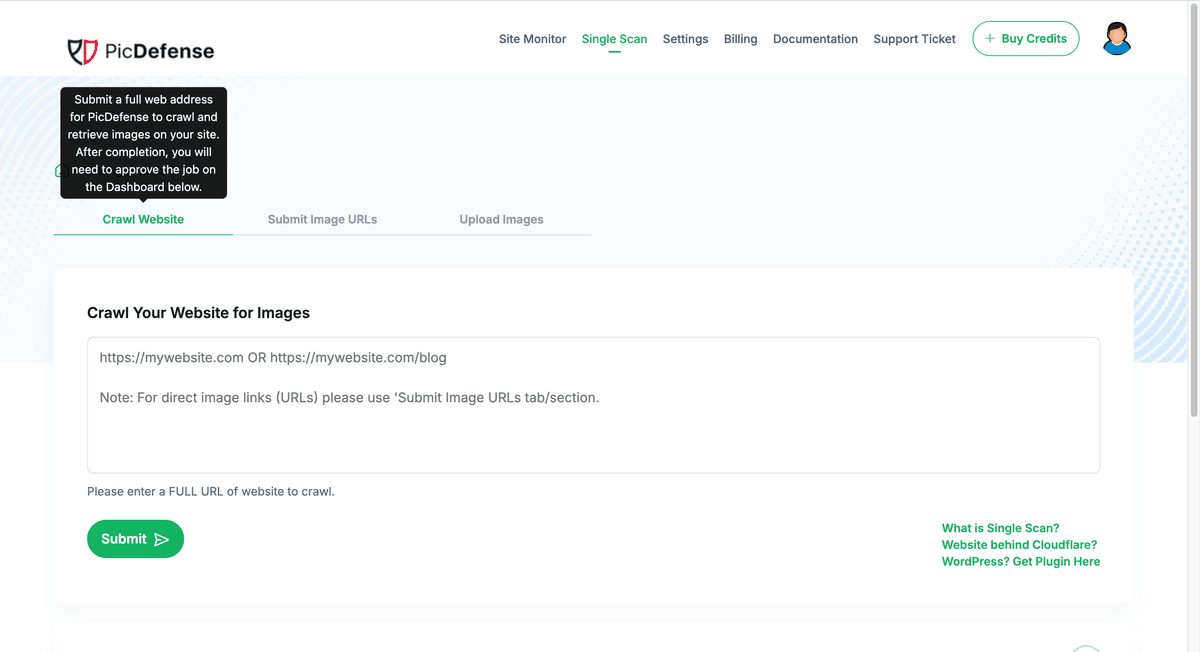
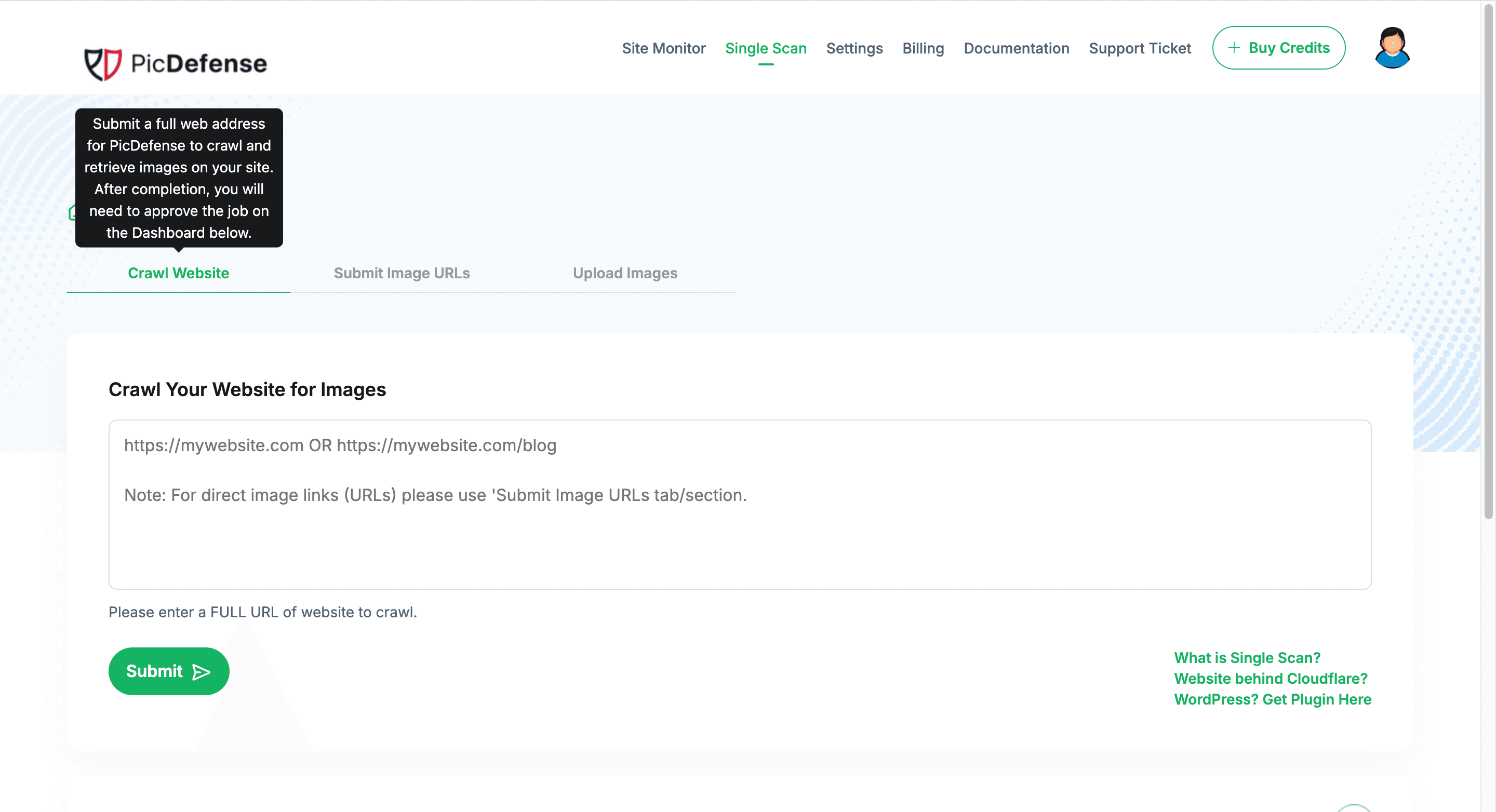
Enter Your Domain
Provide your website URL. We automatically discover all pages, subdomains, and CDN-hosted assets.
Watch the Crawl
Our engine maps your complete digital estate in real-time. Pages, archives, and nested assets are all indexed.
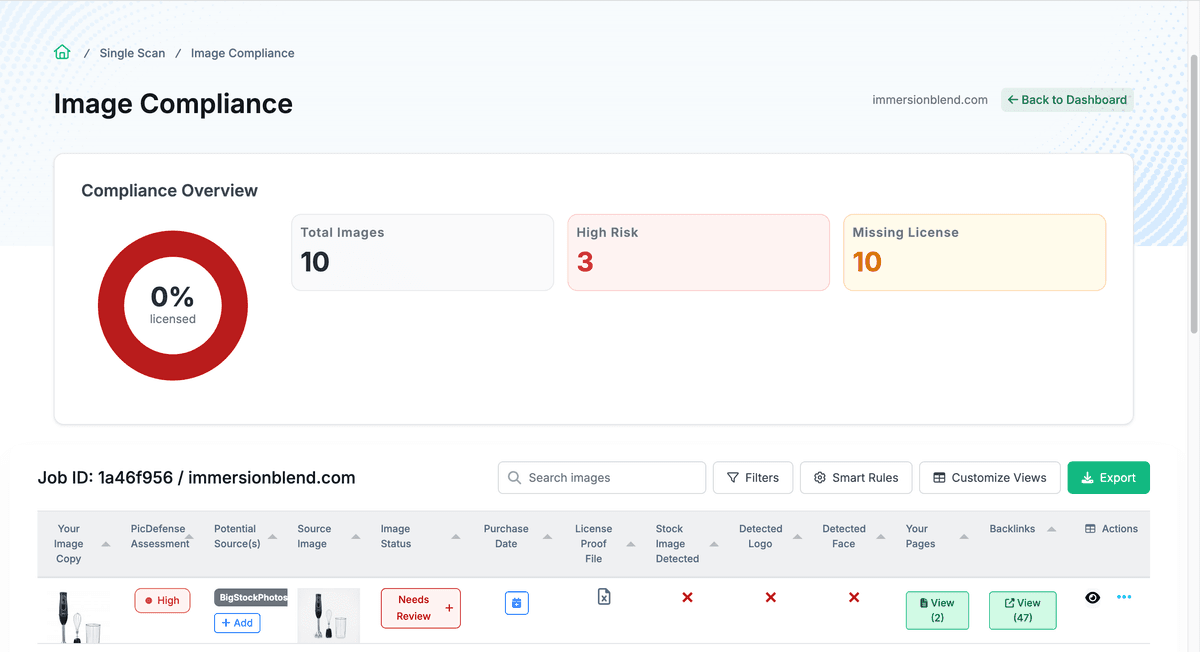
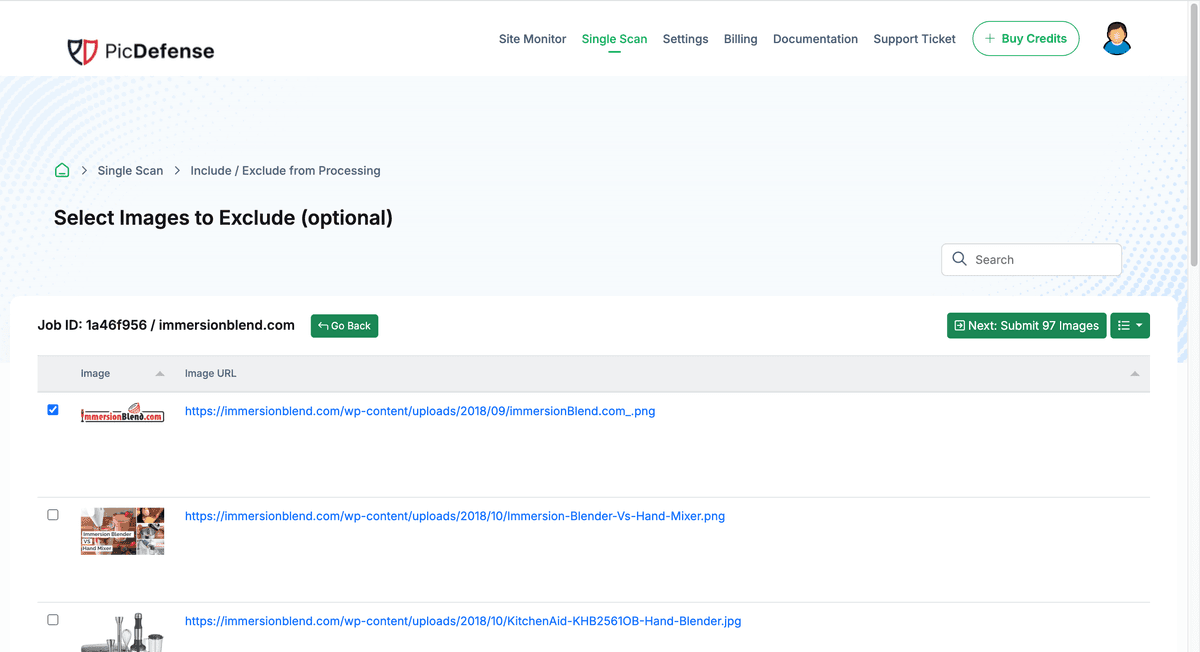
Review Your Inventory
Your master asset table is ready. Every image, its URL location, and deduplication status at a glance.
Establishing Your Compliance Baseline
The Inventory Engine is the foundational step of your compliance lifecycle. Before you can verify a license or set up automated monitoring, you must establish a baseline of your current exposure.
Crawl discovers every image
Our engine maps your complete digital estate—pages, CDNs, subdomains, and archives—building a master asset list.
Inventory feeds into Risk Forensics
Raw image data is immediately passed to our dual-engine AI for automated copyright risk scoring and source tracing.
Results populate your Proof Vault
Your website transforms from an unmanaged liability into a structured, auditable compliance ledger you can defend.
Your website is transformed from an unmanaged liability into a structured, auditable Vault.
Frequently Asked Questions
Common questions about the Website Image Inventory.
How long does a full website crawl take?
Most sites complete within minutes. Large sites with thousands of pages may take up to an hour. You’ll receive a notification when your inventory is ready, and you can continue working while the crawl runs in the background.
Does the crawler slow down my website?
No. Our crawler is designed to be polite and non-disruptive. It respects rate limits and distributes requests to avoid impacting your site’s performance for real visitors.
What types of images are discovered?
We index all publicly accessible image formats including JPEG, PNG, WebP, AVIF, GIF, and SVG. This includes images in CSS backgrounds, inline styles, lazy-loaded elements, and open graph meta tags.
Can I crawl multiple websites?
Yes. Each website gets its own inventory in your dashboard. Agency users can manage crawls across their entire client portfolio from a single multi-tenant dashboard.
How does deduplication handle the same image saved in a different format or size?
Two ways. First, byte-identical copies of an image — the exact same file reused across many pages — are collapsed into a single asset record automatically. Second, the same picture re-encoded so its bytes differ (saved as WebP or AVIF instead of JPEG, resized, or recompressed) is recognized by its visual fingerprint and grouped with the original. That means you don’t pay to analyze the same image five times just because a CDN or theme exported it in a new format, and your inventory stays clean. Very low-detail graphics like icons and sprites are intentionally left ungrouped to avoid merging unrelated artwork, so this groups likely-same images rather than claiming perfect matching.
Next in the Compliance Lifecycle
The Inventory Engine feeds directly into the rest of the PicDefense platform.
Uncover Your Blind Spots Today.
Don't wait for a demand letter to find out what is hidden in your archives. Run a deep-crawl inventory to establish your forensic baseline.
Legal Disclaimer
PicDefense is a technology platform, not a law firm. The Website Image Inventory provides an automated index of publicly accessible visual assets on your domain. It does not constitute legal advice. If you are unsure of your legal standing regarding a copyright claim, we strongly recommend consulting an Intellectual Property attorney.