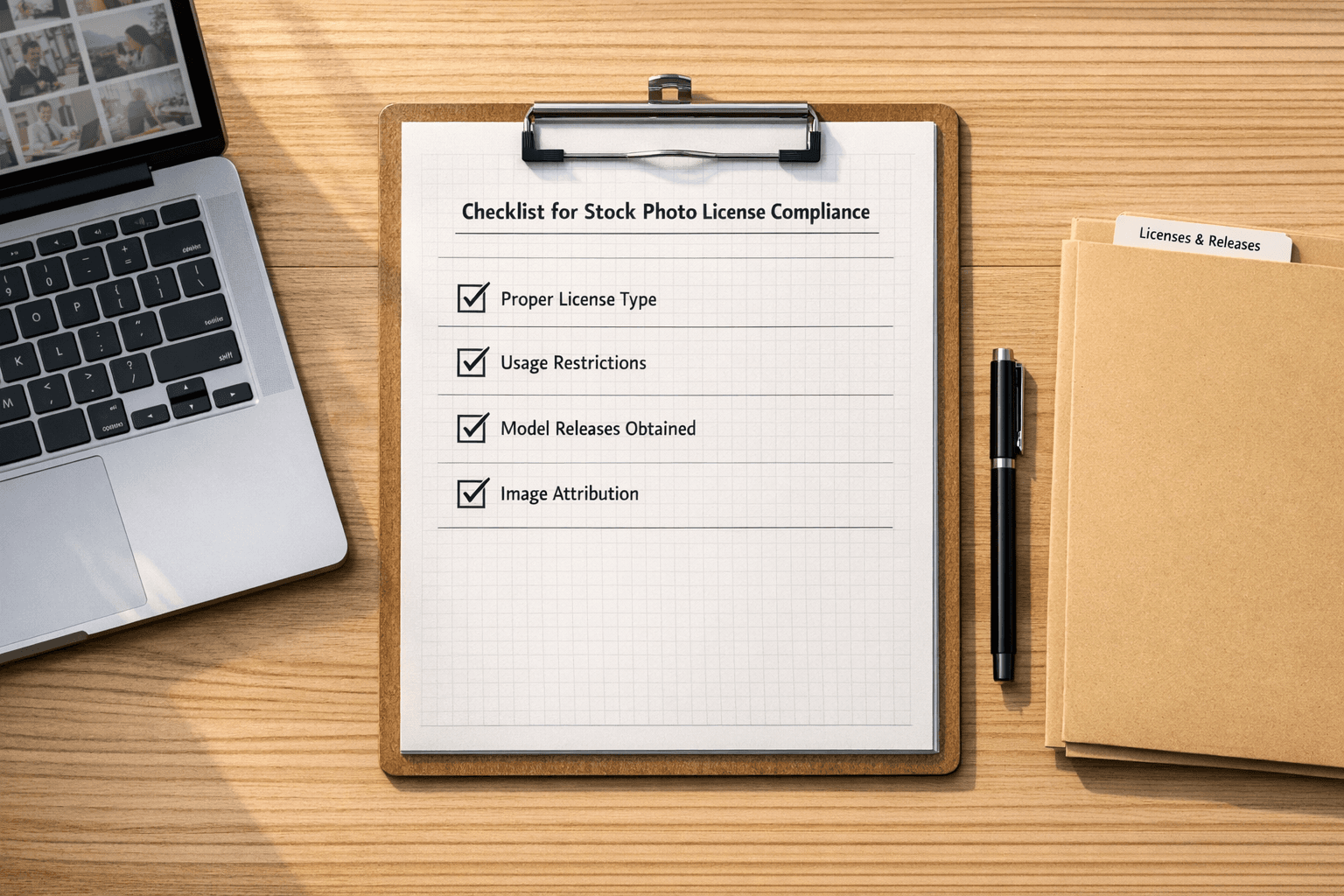
Using stock photos without proper licensing can lead to unexpected copyright claims and expensive settlements. PicDefense.io simplifies compliance by automating image verification, tracking license details, and detecting potential risks—ensuring you stay protected from legal issues.
- Understand License Types: Learn the differences between Royalty-Free (RF), Rights-Managed (RM), and Creative Commons (CC) licenses.
- Verify Image Rights: Use PicDefense.io’s proprietary Reverse Image Search and metadata analysis to confirm copyright status before using any image.
- Use Trusted Sources: Paid platforms like Shutterstock and Adobe Stock offer clear licensing, while free sites like Unsplash require careful attention to terms.
- Keep Records: Document licenses, permissions, and restrictions for every image. PicDefense.io’s dashboard allows you to make notes and track compliance effortlessly—ensuring you stay audit-ready at all times..
- Leverage Compliance Tools: PicDefense.io automates reverse image searches, metadata analysis, and copyright risk scoring—helping you identify and resolve potential issues before they become legal problems.
💡 Pro Tip: Not all free images are risk-free. Many come with hidden licensing conditions, and using them incorrectly can lead to unexpected legal claims. PicDefense.io scans your site for compliance risks—helping you avoid costly mistakes before they happen.
Keep reading for a breakdown of license types, trusted platforms, and practical steps to ensure compliance.
Can I Use That Picture in My Design? How to Legally Use Copyrighted Images Online
1. Stock Photo License Types
Stock photo usage is governed by three main types of licenses, each with its own set of rules and conditions.
1.1 License Categories Explained
Royalty-Free (RF): With this license, you pay once and can use the image multiple times without additional fees. For example, platforms like Shutterstock offer RF licenses that allow unlimited usage after a single payment [2][3].
Rights-Managed (RM): The cost of this license depends on how you plan to use the image. For instance, using an image in a local newspaper ad costs less than using it in a global marketing campaign. Getty Images often uses this licensing model for its high-end content [2].
Creative Commons (CC) [1][5]:
- CC BY: Requires attribution and allows both commercial use and modifications.
- CC BY-NC: Requires attribution but prohibits commercial use.
- CC BY-ND: Requires attribution and prohibits modifications.
1.2 Common License Restrictions
Knowing what’s off-limits can save you from expensive mistakes. Here are some typical restrictions:
People and Brands: If an image includes recognizable individuals or trademarks, you need to tread carefully. For instance, iStock prohibits using images of unreleased individuals in defamatory ways, such as fake endorsements [3].
Editorial Use Only: Some images, labeled as "editorial use only" on platforms like Adobe Stock, can only be used in news or educational contexts. These cannot appear in ads or promotional materials [2][3].
Regional Limitations: While Royalty-Free licenses usually allow global use, Rights-Managed licenses may restrict usage to specific geographic areas [2][3].
1.3 Verifying License Details
To avoid infringement claims, always confirm the license details. Here’s how:
Check EXIF Data: Look at the embedded metadata in the image file. You can access this through your operating system’s file properties or an image viewer [4][5].
Platform Metadata: Many stock photo platforms include purchase details in the image metadata. For example, Adobe Stock embeds unique license IDs in its downloads [6].
Ignoring image licensing rules can result in copyright demand letters, takedown notices, or legal settlements. While statutory damages can be high, most cases settle between $3,000 and $7,000—a costly mistake that PicDefense.io helps prevent.. Proper verification is essential, and the next section will guide you on sourcing correctly licensed images.
2. Where to Find Legal Stock Photos
2.1 Top Paid Stock Photo Sites
Paid stock photo platforms are a reliable choice for high-quality images with strong licensing protection. Shutterstock boasts a library of over 400 million images, with subscription plans starting at $29 per month. Adobe Stock offers more than 300 million assets, seamlessly integrated with Creative Cloud, starting at $29.99 per month. For exclusive, high-end campaigns, Getty Images provides access to a collection of 495 million+ images with custom commercial licensing options [1][2].
2.2 Free Stock Photo Sites: What to Know
Free stock photo websites, like Unsplash, can be a great resource, but it's crucial to follow their licensing rules carefully. Unsplash offers images under the CC0 license, meaning you can use them for commercial purposes without needing to give credit [5]. However, some platforms combine CC0 images with content that requires attribution, so always double-check [5].
When using free stock photo sites, keep these tips in mind:
- Read platform disclaimers: Review the license details for each image to ensure compliance.
- Check attribution rules: Confirm whether credit is required for commercial use [4][5].
2.3 Finding Licensed Images Through Search
Google’s "Usage Rights" filter provides basic search options, but PicDefense.io’s proprietary Reverse Image Search offers a comprehensive, AI-driven solution.
Some platforms cater to specific needs. For example, Burst focuses on entrepreneurs, while Stock Graphic Designs is tailored for designers [1]. These search strategies work well alongside automated tools for managing copyright, which we'll discuss in Section 4.
3. Steps to Prevent Copyright Issues
3.1 License Documentation Methods
Keep a centralized system to track license details, permissions, and expiration dates for every stock photo you use. Having clear records helps create an audit trail, which can be crucial if any disputes arise.
Key details to document include:
- Source platform and the date of purchase
- Permitted uses and any restrictions
- Expiration dates and renewal schedules
- Attribution requirements
3.2 Image Credits and Watermark Rules
Attribution rules depend on the type of license. For example, Creative Commons (CC BY) images require clear credit near the image, not buried in a footer or on a separate page.
Watermark requirements also vary by license type:
- Royalty-Free Images: Usually require watermark removal before use.
- Rights-Managed Content: Watermarks should remain unless the license explicitly allows removal.
- Editorial Images: Typically retain original watermarks [2].
3.3 Switching Out Problem Images
- Verification Phase: Use tools to check copyright status by analyzing metadata and tracing the source.
-
Documentation Review: Look for:
- Missing licensing records
- Unauthorized modifications
- Matches with paid image libraries [3][4]
- Replacement Implementation: Replace flagged images with properly licensed alternatives from trusted platforms mentioned in Section 2. Using verified sources ensures you stay compliant.
This step-by-step process works well alongside automated copyright management tools, which will be covered in Section 4.
sbb-itb-59d21f2
4. Copyright Management Software Options
Managing copyright effectively requires tools that can handle large-scale verification tasks. Automated software simplifies the compliance process discussed in Section 3.3 by combining AI-powered scanning with license tracking.
4.1 How PicDefense.io Works
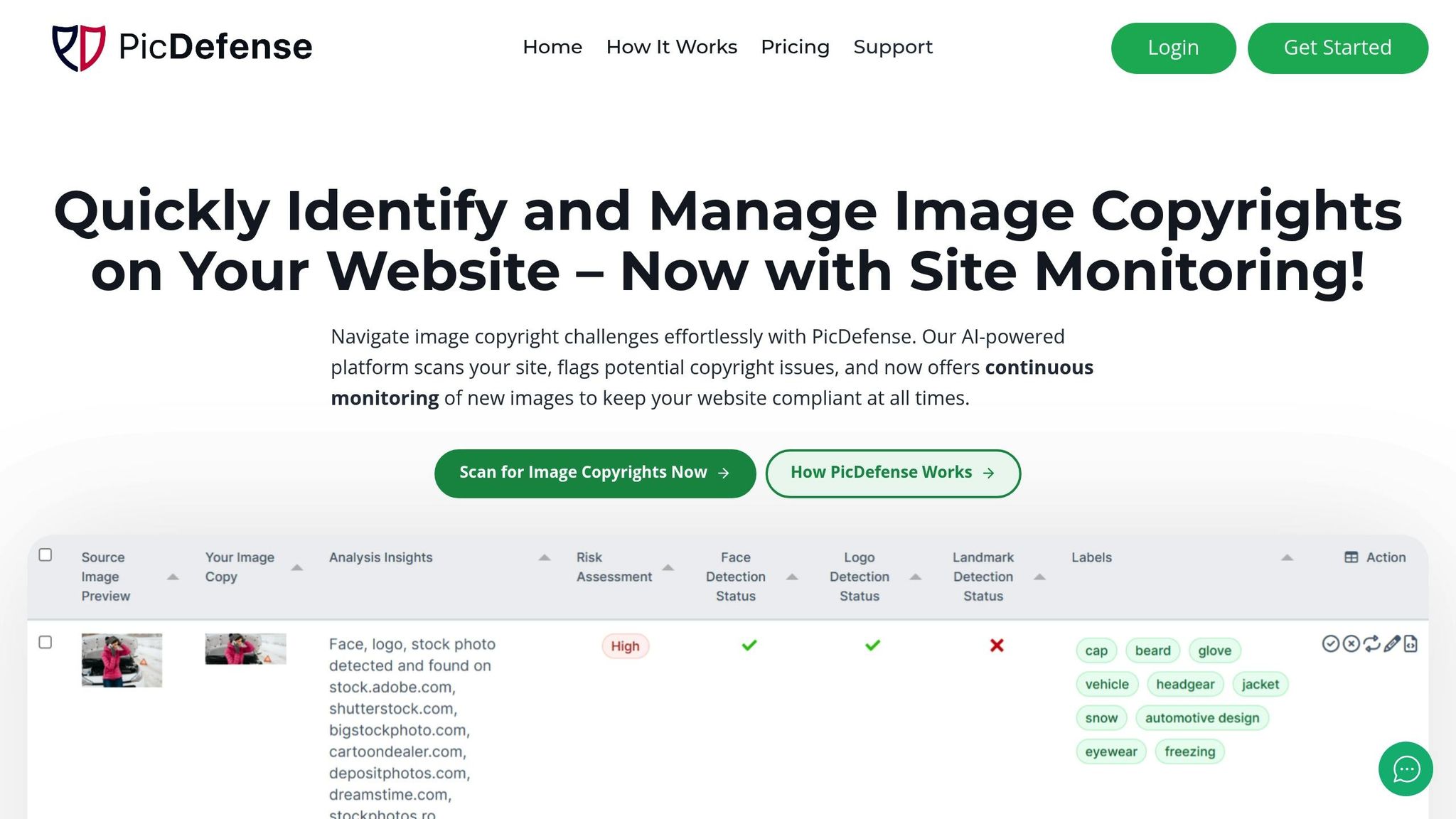
PicDefense.io helps safeguard websites from copyright violations using advanced AI technology. Here's how it works:
- Full-Site Scanning: Automatically crawls your entire website to inventory all images.
- AI-Powered Analysis: Reviews images for protected elements such as faces, logos, and well-known landmarks.
The platform can process hundreds of images at once, maintaining an impressive 99% accuracy rate.
4.2 Why Use Automated Tools
Automated tools can save businesses 6–8 hours per week compared to manual checks. Some major advantages include:
- Resolving issues 89% faster than traditional methods.
- Cutting licensing costs by 40% through CC0 image recommendations.
- Providing automatic audit trails for easy record-keeping.
4.3 Setting Up PicDefense.io
PicDefense.io offers three integration options to make setup simple and efficient. These address the documentation gaps highlighted in Section 3.1.
WordPress Plugin Integration
- Analyze images in real-time as they’re uploaded.
- Automatically verify metadata.
- Replace flagged images in bulk.
API Access
- Customize workflows with API access.
- Integrate with platforms like Zapier and Make.com.
- Securely access your media library.
Starting at $75, these features ensure your website stays compliant with the licensing rules discussed in Sections 1–3.
5. AI Image Copyright Guidelines
AI-generated images bring a new layer of complexity to copyright compliance, requiring careful attention to licensing and legal considerations. While similar to traditional stock photos in some ways, they also introduce unique challenges.
5.1 Who Owns AI-Created Images
Ownership of AI-generated images depends on the platform and the level of human involvement. According to the U.S. Copyright Office, works created solely by AI without meaningful human contribution are considered public domain [1].
| Platform | User Rights | Key Restrictions |
|---|---|---|
| Midjourney | User owns output | No claims for legal liability allowed |
| DALL-E | Exclusive user rights | Cannot resell as standalone artwork |
| Adobe Firefly | Full commercial rights | Training data must be legally sourced |
| Canva Pro | User ownership | Must adhere to content guidelines |
5.2 Checking AI Images for Copyright
Ensuring AI-generated images comply with copyright laws requires a detailed review process. Cases like the 2023 Getty Images vs. Stability AI lawsuit [5] emphasize the need for thorough checks.
To build on the verification process outlined in Section 3.3, consider these AI-specific steps:
-
Technical Verification
Use AI detection tools to identify potential copyright issues by:- Comparing images for visual similarities with registered works
- Analyzing metadata for generative AI markers
- Reviewing the sources of training data used by the AI model
-
Documentation Requirements
Collect and maintain:- Platform licenses and detailed prompt records
- Disclosures about the AI model's training data
-
Risk Assessment
Legal rulings like Thompson v. ArtAI (2024) mandate attribution for modified AI-generated images derived from licensed works [1][5]. This makes pre-publication reviews a critical step.
"The U.S. Copyright Office's position is clear - AI-generated works without substantial human creative input cannot be copyrighted", states a recent Copyright Office guidance document [8].
Conclusion: Key Steps for Copyright Safety
To stay on the right side of copyright laws, focus on these key practices:
Keep Records and Verify Combine license tracking (see Section 3.1) with automated tools to ensure all images meet compliance standards. Platforms like PicDefense.io help reduce risks by 89% through continuous license monitoring and usage checks. Regularly audit your assets, including analyzing EXIF data and using reverse image searches to confirm image sources.
Use Technology for Risk Management Build on the verification steps from Section 3.3 and address AI-specific challenges discussed in Section 5. PicDefense.io's AI-powered tools have shown a 92% drop in takedown notices by validating metadata proactively.
Protect Yourself Financially Work with stock agencies that offer legal indemnification, such as Getty Images, which provides $25,000 coverage per image [2]. Services like Getty Images and Adobe Stock (mentioned in Section 2.1) offer peace of mind for businesses relying on their content.
Address AI-Generated Images Use the AI detection methods highlighted in Section 5.2 and keep thorough records of AI platform licenses and prompts. This ensures you're compliant while still allowing room for creativity in your visual projects.
FAQs
Can I use stock photos without copyright?
No, you can't use stock photos without proper licensing. To avoid copyright issues, you need to ensure that the images you use are appropriately licensed. For detailed licensing requirements, refer to Sections 1.1 and 2.2.
Here are some legal options for using stock photos:
- Purchase licenses for the images.
- Use free images from verified sources.
- Get explicit permission from the image creator.
Key Reminder: Even free stock photos come with specific licensing terms. Always double-check the usage rights and conditions for each image.
For guidance on verifying image usage rights, see Section 3.3. Automated tools, like PicDefense.io (covered in Section 4), can assist by monitoring and ensuring compliance with licensing rules. Keep in mind that out-of-court settlements for copyright violations typically cost between $3,000 and $7,000 [3][6].
🚀 Protect your website with PicDefense.io—the leading AI-powered solution for automating image compliance, tracking licensing data, and preventing copyright claims before they happen. Sign up today and take control of your content’s legality!
Protect your website from image copyright claims
PicDefense scans your entire website, identifies image risks, and stores proof of compliance — so you never get caught off guard.