EXIF metadata is the hidden data embedded in every digital photo you take. It records details like camera settings, timestamps, location data, and copyright information. This data is crucial for proving image ownership, managing copyright, and verifying authenticity. However, it also raises privacy concerns, as it can expose sensitive details like GPS coordinates.
Key takeaways:
- What it is: A layer of data in image files that includes technical settings, timestamps, and ownership details.
- Why it matters: Protects copyrights, helps in legal disputes, and assists digital forensics.
- Who uses it: Photographers, businesses, investigators, and cybersecurity experts.
- Tools: Options range from manual methods (e.g., Windows Properties) to professional tools (ExifTool, Adobe Bridge) and automated platforms like PicDefense.io.
- Best practices: Add copyright info, remove sensitive data, and use automation for large collections.
EXIF metadata is a powerful tool for managing and protecting your digital photos while balancing privacy concerns.
How to Extract Image Metadata with ExifTool: Ultimate Guide for Beginners
EXIF Metadata Components
EXIF metadata is a treasure trove of information embedded within image files. It captures everything from technical camera settings to timestamps, location data, and even a thumbnail preview. Understanding these details is key to analyzing images and protecting copyright. Let’s break down the essential EXIF fields and how they interact with related metadata standards.
Main EXIF Fields Explained
EXIF metadata is organized into several key categories:
- Camera information: This field logs the camera's make and model, offering basic details about the device used to capture the image[2].
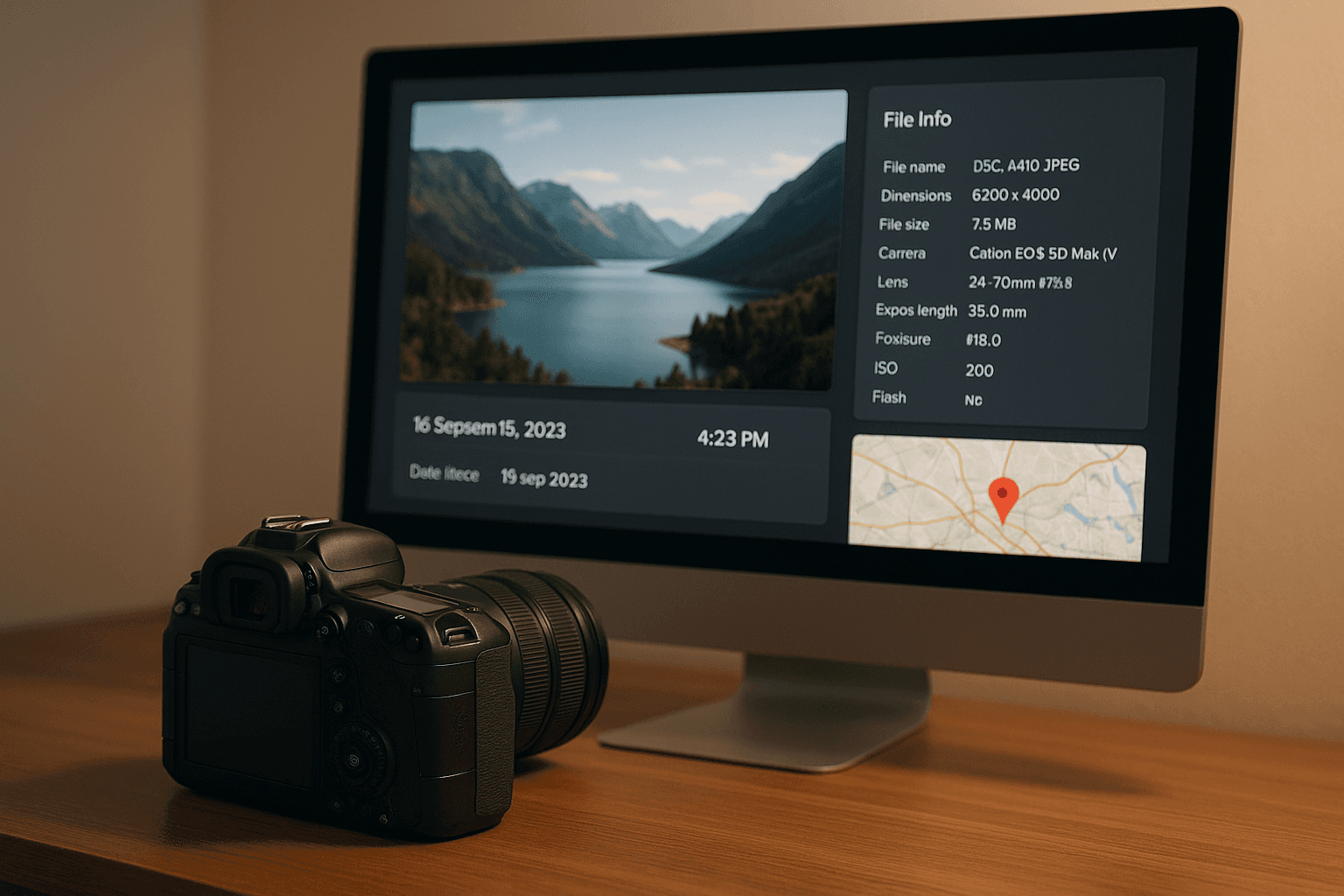
- Technical settings: Here, you’ll find data like aperture, shutter speed, ISO, focal length, and whether the flash was used. These settings not only provide insight into photographic techniques but also serve as evidence of authenticity in copyright disputes.
- Date and time stamps: These timestamps record the exact moment the photo was taken, down to the second. They’re critical for establishing ownership timelines or verifying when an image was originally captured[3].
- Location data: If the camera’s location services are enabled, GPS coordinates are saved in the EXIF data. While this feature is helpful for organizing photos, it can also expose sensitive location details when images are shared online.
- Thumbnail image: A small preview of the photo is embedded in the metadata, making it easy to view without loading the full-resolution file[2].
Next, we’ll explore how EXIF metadata supports copyright protection by embedding ownership details.
Copyright and Ownership Data
Beyond technical details, EXIF metadata includes fields that allow photographers to embed copyright and ownership information directly into an image.
- Copyright field: Photographers can add their name, contact information, and usage rights to the image file[4]. This data stays with the photo, no matter where it’s shared.
- Creator information: Cameras can embed the photographer's name and contact details automatically[1]. This ensures ownership details are present from the moment the photo is taken.
- Usage rights and licensing: EXIF data can include specific licensing terms, which is especially useful for professionals licensing their work under particular conditions.
The importance of this embedded data was highlighted in the 2014 case of Getty Images v. Microsoft, where Getty relied on EXIF data to prove ownership in a copyright dispute[5]. However, since EXIF data can be altered, its authenticity must be verified in legal settings[3]. To protect your copyright, use software that preserves EXIF data during edits and keep records of any changes. Additionally, consider removing sensitive details like GPS data when sharing images online, while keeping essential copyright information intact[5].
Related Metadata Standards
EXIF metadata isn’t the only standard in play. Two other key standards - IPTC and XMP - offer additional ways to manage and protect image data.
- IPTC metadata: Developed in the early 1990s, IPTC focuses on describing image content and associated rights. It’s widely used in media and news industries[6][1].
- XMP metadata: Introduced by Adobe in 2001, XMP is a flexible framework that supports both standardized and custom metadata. Its extensibility makes it a favorite for professional tools and digital asset management systems (DAMs)[7][1].
Here’s a quick comparison of these metadata standards:
| Feature | EXIF | IPTC | XMP |
|---|---|---|---|
| Main Use | Camera data | Editorial metadata | Custom, extensible data |
| Editable by User? | Sometimes | Yes | Yes |
| Standardized? | Yes (rigid) | Yes | Yes (flexible) |
| Embedded in File? | Yes | Yes | Yes or Sidecar |
| Commonly Found In | Cameras | News, stock, editorial | Pro tools, DAMs |
While EXIF data is typically generated by cameras and smartphones, IPTC and XMP metadata are often added manually using specialized software. For instance, tools like Canon EOS Utility or Mobile File Transfer (MFT) can embed IPTC metadata directly into your camera[1]. Editing programs like Adobe Lightroom or Photoshop also allow you to modify EXIF, IPTC, and XMP metadata[1].
When used together, these metadata standards provide a comprehensive framework for managing images and safeguarding copyright. They ensure that every detail - from technical settings to ownership rights - is accounted for and protected.
Using EXIF Data for Copyright Protection
EXIF metadata plays a key role in safeguarding creative work and proving legal ownership. When managed correctly, this embedded information acts as a digital signature, providing verifiable proof of who created the content and when.
Building Copyright Cases with EXIF Data
EXIF metadata creates a digital record that courts can use to confirm the authenticity of an image and establish its timeline. Some critical types of evidence that can be extracted from EXIF data include:
- Creation timestamps: These timestamps confirm when an image was captured, helping establish ownership priority. For instance, in 2013, the case of Lori Davis v. Steingass Mechanical Contracting, Inc. relied on EXIF data to determine the exact date and time an image was taken. Similarly, in Mason v. Montgomery Data, Inc., EXIF metadata was pivotal in resolving ownership disputes over images [3].
- Camera and technical details: Information such as the camera make, model, and settings creates a unique fingerprint for each photo.
- Embedded copyright fields: Including details like the author's name, copyright year, and usage rights directly in the EXIF data strengthens copyright claims [8].
However, it's worth noting that EXIF data can be tampered with. To ensure its credibility, maintain original, unedited files and document any changes made during the editing process. This is especially important given that statutory damages for copyright infringement can range from $750 to $30,000 per work - and even higher for willful violations [11].
While EXIF data is a powerful tool for copyright protection, it also introduces privacy concerns.
Privacy and Security Concerns
EXIF metadata can inadvertently expose sensitive information, such as GPS coordinates, which may reveal the location where a photo was taken. This can pose privacy risks, especially if the images are shared publicly.
To balance protection and privacy, it’s crucial to manage metadata thoughtfully. For example, you can remove location data while keeping copyright details intact. This is particularly important for professionals like wedding photographers, who may need to protect their clients' privacy without sacrificing the benefits of embedded copyright information.
Adding and Checking Ownership Information
Proper metadata management not only provides legal evidence but also simplifies ongoing copyright protection. You can embed copyright details - such as your name, copyright year, contact information, and usage rights - directly into your images by configuring your camera or editing software to include this information automatically.
Key metadata fields to include are copyright notices and contact details. Ensure these fields remain intact across platforms to maintain ownership visibility. Tools like the Exif Viewer App make it easy to add or edit copyright tags after capturing images [8].
For large image collections, using templates can ensure consistency and save time [9]. Additionally, it’s illegal to remove metadata that identifies the copyright owner [10].
If you're managing a large number of images, platforms like PicDefense.io can help by automatically analyzing EXIF metadata across your entire website. These tools can flag images missing proper copyright information or those at risk of infringement, making it easier to manage metadata without manually inspecting each file.
To protect your work long-term, always keep original files with their full EXIF data intact, document any metadata changes, and back up your images. This documentation trail can be invaluable if you ever need to prove ownership in a legal dispute.
sbb-itb-59d21f2
EXIF Analysis Tools and Methods
Once you grasp the importance of EXIF metadata in copyright protection, the next step is finding the right tool for the job. Whether you're working with a single image or managing an extensive library, choosing the right method can make all the difference. Below, we’ll explore manual, professional, and automated options to help you efficiently extract and analyze EXIF metadata.
Manual EXIF Analysis Methods
You don’t always need specialized software to view basic EXIF metadata. Most operating systems have built-in tools for this purpose. For instance:
- Windows: Right-click an image, select "Properties", and navigate to the "Details" tab.
- macOS: Use Finder's "Get Info" option or Preview's Inspector.
If you're looking for a quick online solution, platforms like Metadata2go or Online EXIF Viewer let you upload images to view their metadata without any installation. However, while these online tools are convenient, they lack features like bulk editing or advanced metadata management.
Manual methods work well for occasional checks, but they’re not practical for larger collections or when batch editing is required.
Professional EXIF Analysis Software
For more advanced needs, dedicated software offers a range of options for managing and editing metadata. Here are some popular tools:
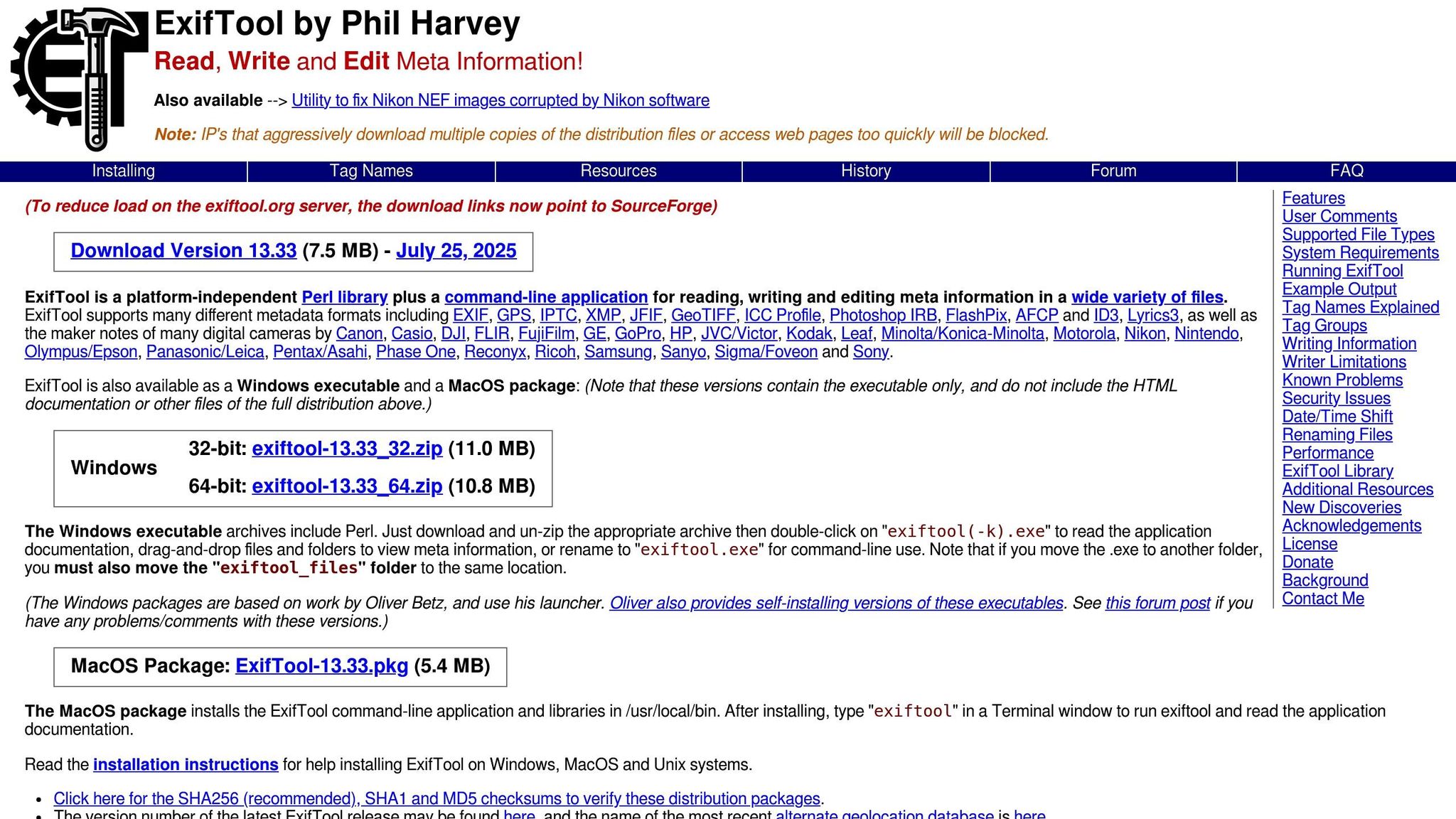
- ExifTool: Known for its versatility, ExifTool supports metadata extraction from nearly 180 file formats [12]. While incredibly powerful, its command-line interface can be intimidating for beginners.
- Metadata++: Designed for ease of use, this Windows-based tool provides a graphical interface for editing and managing metadata [13].
- Adobe Bridge: Ideal for users within the Adobe Creative Cloud ecosystem, Adobe Bridge excels in batch processing and metadata extraction [13].
- GeoSetter: This Windows tool is perfect for those working with geotagged images and geographic data.
For forensic applications, tools like Amped Authenticate or Belkasoft Evidence Center offer specialized capabilities [14].
| Tool | Platform | Best Suited For |
|---|---|---|
| ExifTool | Windows, macOS, Linux | Advanced users comfortable with command-line tools |
| Metadata++ | Windows | Beginners seeking an intuitive interface |
| Adobe Bridge | Windows, macOS | Managing large libraries; Adobe Creative Cloud users |
| GeoSetter | Windows | Users working with geotagged data |
When manual or professional tools fall short, automated solutions step in to handle large-scale analysis.
Automated Analysis with PicDefense.io

For businesses or websites managing hundreds - or even thousands - of images, manual methods simply aren’t feasible. That’s where PicDefense.io comes in. This platform automates copyright compliance by scanning websites and using EXIF data to evaluate image ownership [15]. It compares images against a database of over 73 billion entries while analyzing embedded metadata to verify copyright status and ownership history [15].
In April 2024, PicDefense.io enhanced its API with a detailed EXIF data analysis feature in the /checkImageRisk endpoint. This update provides insights like camera make and model, original dimensions, and explicit copyright details when available [15]. Additionally, its Site Monitoring feature automatically detects and analyzes newly added images, ensuring ongoing compliance with minimal effort [15].
PicDefense.io also integrates AI to identify faces, landmarks, and logos within images, sharpening its copyright risk assessments. Businesses can streamline their workflows with features like whitelisting cleared images and documenting licensing information directly in the platform. Pricing for single scans is credit-based, with options like $20 for 100 credits or $85 for 500 images [15].
Whether you choose manual, professional, or automated methods depends on your technical expertise, the size of your image collection, and your specific needs for metadata analysis.
EXIF Metadata Management Best Practices
Managing metadata effectively requires a thoughtful approach that balances protecting copyrights with addressing privacy concerns. Whether you're working with a handful of photos or overseeing a massive archive, these practices can help keep your EXIF data accurate, secure, and compliant.
Adding and Editing Metadata
Kick off your metadata workflow with consistent naming conventions. A format like EventName_YYYYMMDD_Description.jpg makes it easier to organize and retrieve images [16].
Focus on completing key metadata fields such as title, author, description, and keywords. These fields improve searchability and provide important context [16]. For instance, some organizations include details like contact information, date, medium, dimensions, and usage terms in their metadata.
"It is important to have this information in the metadata because it transfers if the image is copied or exported to another file type. I can control what data is transferred and what isn't. This way certain data about the piece is always available within any version of a particular image." - TJ Hilton, Exhibitions Coordinator at Austin Community College [17]
Using metadata templates can simplify the process for repetitive tasks or events. Templates ensure consistency and save time by preloading frequently used details like copyright information, keywords, and tags [16].
Strategic keyword use is another essential step. Add terms that describe the photo’s content, location, and subjects [16]. Think about what users might search for and periodically update metadata to reflect changes in usage rights or context [16].
Once your metadata is in order, it’s crucial to address privacy concerns by removing sensitive details.
Removing Sensitive Data
While metadata is important for copyright and organization, it can also include personal or sensitive information. EXIF data, for example, might reveal GPS coordinates, timestamps, camera models, or software used [18].
Start by removing location data. Disable location services on your camera to prevent GPS data from being saved. On iPhones, go to Settings → Privacy & Security → Location Services → Camera and select Never. For Android devices, open the Camera app, access Settings, and toggle off the location tag [18].
Before sharing photos online, strip out metadata. Windows users can right-click an image, choose Properties → Details, and click Remove Properties and Personal Information to create a copy without metadata [18]. Mac, iOS, and Android users can rely on third-party apps like ExifTool for Mac, Scrambled Exif for Android, or ViewExif for iOS [18].
Also, check your images for visible identifiers such as street signs, license plates, or landmarks. Use cropping, blurring, or redaction tools to obscure these details [18]. Be mindful of file names too - rename them with neutral labels to avoid unintentionally sharing private information [18].
Managing Large Image Collections
When managing large image libraries, automation is key. Batch processing tools like Adobe Bridge or XnView MP can help you edit metadata for multiple files simultaneously [19].
For even greater efficiency, consider using Digital Asset Management (DAM) systems like Razuna. These platforms automate metadata tagging and organization, making it easier to maintain consistency across thousands of images [16].
Organizations with extensive collections can benefit from tools that use predefined rules or AI to populate metadata fields automatically. Always create backups of your original files before making changes to avoid data loss or corruption [16].
Label backups with date stamps and maintain version histories to ensure quick restoration if needed [16].
For ongoing compliance, tools like PicDefense.io offer features such as Site Monitoring, which automatically detects and analyzes newly added images. This ensures your metadata practices stay on track with minimal manual effort, even for websites handling massive image libraries.
Key Takeaways
EXIF metadata plays a key role in copyright compliance and risk management. This embedded data - such as creation dates, author details, and copyright notices - serves as solid proof of ownership. For example, when a photographer provides original EXIF metadata with timestamps, camera serial numbers, and copyright details, it often strengthens their case and leads to favorable outcomes [21][23].
Privacy and security concerns shouldn't be overlooked. EXIF data can include sensitive information like GPS coordinates and device serial numbers, which could expose personal details or confidential business information [21][22]. The solution lies in managing metadata wisely: include essential copyright details while stripping out potentially harmful data before publishing. For organizations handling large volumes of images, automation becomes a must to handle this process efficiently.
For businesses managing extensive image libraries, automation is critical. While manual methods can be effective, they often require technical expertise and are not practical for large-scale operations [24]. That's where tools like PicDefense.io come in. This platform uses AI to analyze and manage EXIF metadata automatically. It scans websites, extracts metadata, and generates actionable compliance reports - all without requiring technical skills. Plus, its seamless integration with WordPress, APIs, and automation platforms like Zapier allows businesses to embed metadata management into their workflows effortlessly. This automated approach reduces the burden of compliance and complements manual metadata practices.
To get the most out of these tools, consistent metadata practices are essential. Populate key EXIF fields like "Copyright", "Artist", and "DateTimeOriginal" accurately, and regularly review metadata for errors. Batch processing tools can help streamline updates across multiple images [20][23]. Automated scanning paired with integrated compliance checks further minimizes manual work and reduces legal risks.
FAQs
How can I keep my EXIF metadata accurate and intact while editing photos?
When editing photos, it's crucial to keep your EXIF metadata intact. To do this, rely on tools like Adobe Lightroom or other professional editing software that preserve metadata. Be mindful of settings that might strip or overwrite this data when saving or exporting your files.
Stick to file formats such as JPEG, which support EXIF metadata, and develop a consistent workflow to avoid accidental changes. Using dependable tools and careful handling ensures your metadata stays accurate and unaltered throughout the editing process.
How can I protect my privacy when sharing photos with EXIF metadata online?
When sharing photos online, protecting your privacy means taking steps to remove EXIF metadata. This hidden data can include sensitive information like your location, the camera settings used, or even timestamps.
Luckily, removing metadata is straightforward. On a Windows computer, you can right-click the image, select Properties, go to the Details tab, and click Remove Properties and Personal Information. If you need to handle multiple images at once, tools like ExifTool can help you batch-remove metadata with simple commands. Another quick (but less precise) method is to take a screenshot of the image, which usually strips most metadata - though it might slightly lower the image quality.
By erasing this data, you can share your photos online without exposing personal details.
What are the best tools for efficiently managing large image collections with EXIF metadata?
Managing large image collections with EXIF metadata can be a daunting task, but AI-powered platforms like PicDefense.io make it much easier. These platforms offer advanced tools, including full-site scanning and automated image analysis, to help you organize and evaluate images efficiently, even at scale.
They also come equipped with features like bulk processing and integrations with automation platforms such as Zapier. These capabilities simplify workflows, allowing you to quickly analyze metadata and address potential copyright risks across extensive image libraries. The result? You save time and effort while ensuring compliance with legal requirements.
Protect your website from image copyright claims
PicDefense scans your entire website, identifies image risks, and stores proof of compliance — so you never get caught off guard.