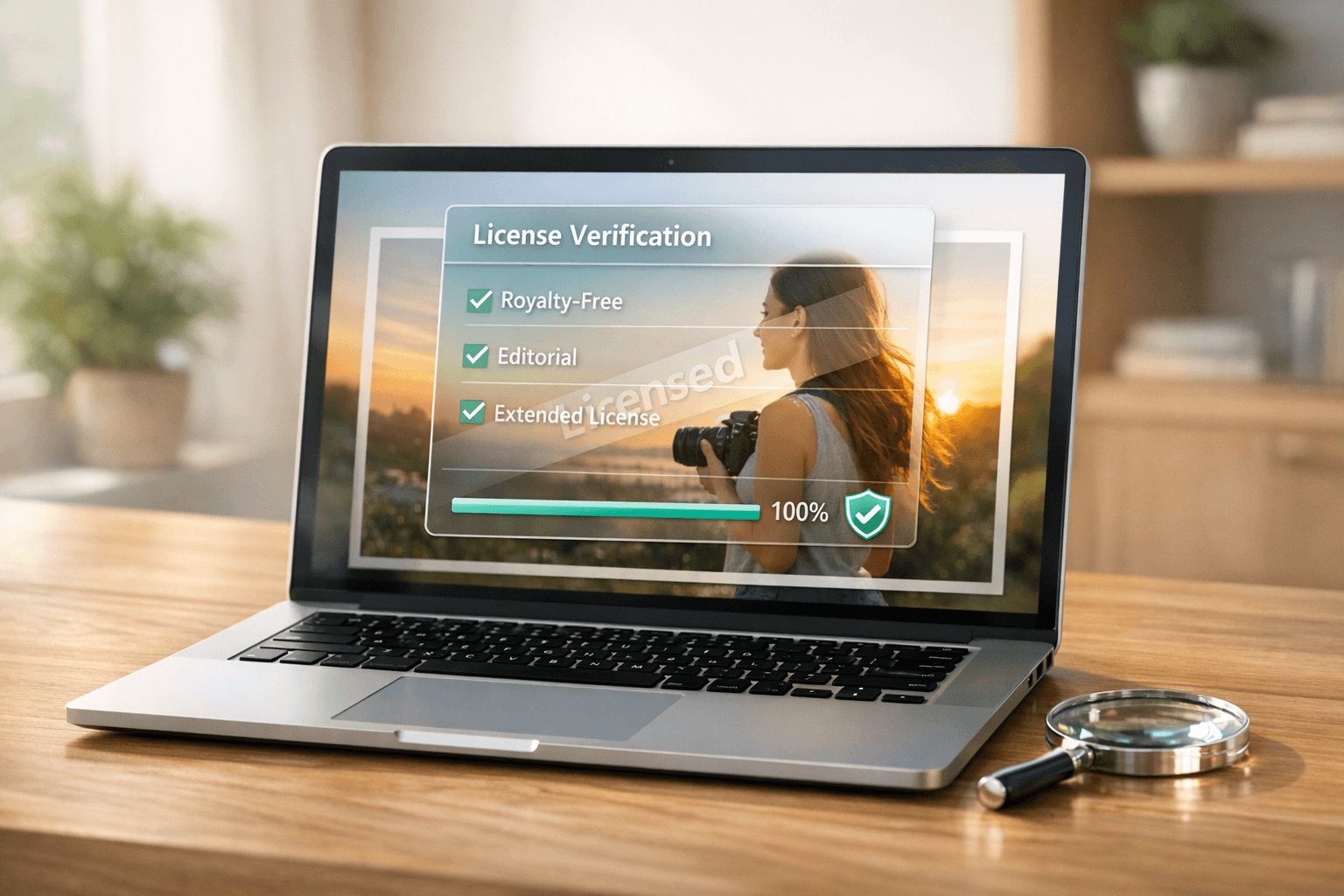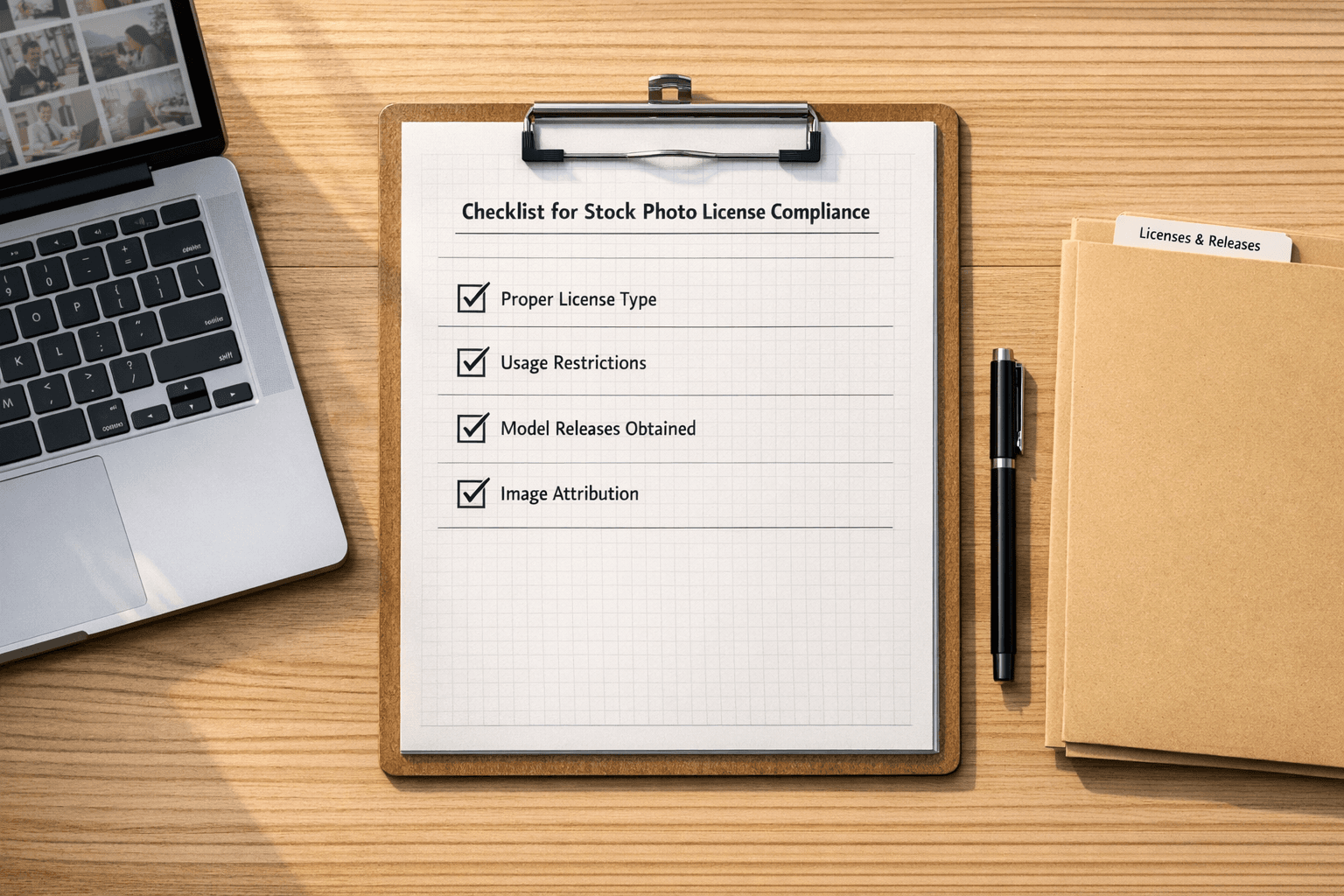
Managing image documentation is no longer optional in 2025 - it’s a necessity. Failing to track image sources, licenses, and usage rights can lead to lawsuits, financial losses, and damage to your brand. This guide breaks down how to document images effectively, ensuring compliance and protecting your business.
Key Takeaways:
- Track Image Sources: Record where images come from, creator details, and metadata to verify authenticity.
- Keep Licensing Records: Save purchase dates, receipts, and license types (e.g., royalty-free or rights-managed). Note any restrictions or attribution requirements.
- Legal Safeguards: Retain full license agreements, contracts, and correspondence for proof of authorized use.
- Monitor Changes: Document any edits (e.g., cropping or overlays) and assess risks with tools like reverse image searches.
- Use Automation: AI tools can scan sites, verify image sources, and flag risks for faster, more accurate compliance.
Start with manual documentation using a free template or streamline the process with automated tools. Either way, having a solid system in place can save you thousands in potential copyright disputes.
Core Elements of Image Documentation
Keeping thorough records for every visual asset your business uses is crucial. These records not only protect you from copyright claims but also serve as proof of legitimate usage. Without proper documentation, even images you’ve legally purchased could turn into liabilities if you can’t demonstrate compliance with licensing terms.
Image Source and Metadata
Start by documenting the original source platform where the image was obtained - whether it’s Shutterstock, Getty Images, Adobe Stock, or another provider. Include the photographer or creator's name to establish a clear chain of custody, verifying the image’s legitimate origin.
Don’t overlook EXIF metadata. This embedded data provides details like the date and time the image was created, camera model and settings, and even location information (if available). For instance, metadata might indicate, "Taken 03/15/2025, Canon EOS R5, ISO 100." These details act as a digital signature, helping to confirm authenticity and differentiate the licensed image from unauthorized copies found online.
This metadata isn’t just a technical detail - it’s a critical piece of legal evidence should ownership ever come into question. Once the origin is verified, the next step is to ensure financial and licensing details are accurately recorded.
Purchase and Licensing Details
For every image you purchase, keep a record of the purchase date (in MM/DD/YYYY format), the invoice or receipt number, and the total cost in US dollars. For example: "Purchase Date: 03/16/2025, Invoice Number: 2025-12345, Cost: $29.99."
Equally important is documenting the type of license you’ve obtained. Whether it’s royalty-free, rights-managed, or an extended license, this information determines how you’re allowed to use the image. For example, rights-managed licenses often come with specific restrictions - such as limits on duration, geographic location, or usage type - that must be clearly outlined.
If there are usage restrictions, make sure they’re noted. For instance, a license might specify, "Web use only, US territory, valid for 2 years", or "Editorial use only, no commercial applications." These limitations directly affect where and how you can use the image, making accurate documentation essential for staying compliant.
Finally, understanding and recording attribution and usage requirements completes the legal framework for image usage.
Attribution and Usage Requirements
Many image licenses include specific attribution requirements that must accompany the image whenever it’s used. This could be as straightforward as "© Jane Doe/Shutterstock" or involve more detailed language, depending on the license terms. Skipping this step - even for paid content - can void your license agreement.
Additionally, preserve the copyright notices and usage terms outlined in the original license agreement. Some licenses grant unlimited commercial use, while others restrict usage to editorial purposes only. Keeping these terms on file ensures your team knows exactly how the image can be used without crossing legal boundaries.
Finally, include any correspondence or permissions received directly from the creator. These communications can sometimes expand your usage rights beyond the standard terms of the license, offering additional flexibility while maintaining compliance.
Legal and Compliance Documentation
When it comes to managing image compliance, solid legal documentation goes far beyond just holding onto basic license details. These records act as your safeguard, offering evidence of compliance that could mean the difference between resolving a copyright claim quickly or facing an expensive legal battle.
License Agreements and Proof of Purchase
It's not enough to save a receipt for an image license - you need the entire license agreement. Many businesses make the mistake of keeping only proof of payment, missing out on the critical details found in the full terms of use. These agreements outline key information like modification permissions, distribution rights, and territorial restrictions - details that a receipt alone won't provide.
Make it a habit to save full license agreements and confirmation emails as clearly labeled PDF files. For example, name them something like: "2025-03-16_Shutterstock_License_12345678_BusinessMeeting.pdf" for easy retrieval.
If you're commissioning work, ensure you have signed contracts that specify usage rights and whether the copyright has been transferred. This is especially important to clarify whether you own the image outright or just have limited usage rights.
Keep detailed records of any transactions related to license upgrades or extensions. For instance, if you initially purchased standard web rights for $29.99 on March 16, 2025, and later upgraded to extended commercial rights for $75.00 on April 22, 2025, document both transactions separately, including the updated license terms.
These records become even more comprehensive when paired with related correspondence, as explained below.
Correspondence and Permissions
Email exchanges with photographers, licensing platforms, or stock agencies often include important clarifications or permissions that go beyond the standard license terms. Save these communications in dedicated folders organized by image or project. For example, a photographer might email you additional usage rights, or a stock agency might clarify geographic limitations - these emails can serve as legally binding documents.
If you're using editorial images in commercial settings, be sure to document any custom permissions you've received. For example, news or celebrity photos often require special clearances, and the emails granting these permissions may be your only proof of authorized use.
When working with Creative Commons or royalty-free images, it's essential to verify the creator's authority to grant usage rights. Sometimes, the same image appears on multiple platforms with conflicting licenses. Direct communication with the original creator can resolve such discrepancies and provide added legal protection.
For user-generated content on social media, take screenshots of permissions granted by the original creators. Whether it's an Instagram post, a Facebook photo, or an image shared on Twitter, save both the original request and the creator's approval, along with timestamps showing when permission was given. These records are invaluable if questions arise later about the legitimacy of your usage.
When combined with modification logs and risk assessments, these documents create a robust legal archive.
Version History and Risk Assessments
Track any changes you make to images, such as cropping, color adjustments, or overlays. Some licenses place restrictions on derivative works, while others allow unlimited modifications. Keeping a record of what changes were made, when they were made, and by whom ensures compliance with these rules.
Maintain risk assessment reports to identify potential copyright issues. Tools like PicDefense's PicRisk scoring system can provide automated risk evaluations, but these reports should be saved as part of your documentation. For example, a high-risk score might signal the need for additional verification or even a different image choice. Having these assessments on file shows you're taking copyright compliance seriously.
Set up audit trails to document when images were added to or removed from your website. This is especially important because timestamps from services like Archive.org are often used in copyright disputes to establish when unauthorized use began. Your own records should clearly show the periods of legitimate use, backed by corresponding licenses.
Lastly, document source verification efforts for images obtained from multiple platforms. If an image is available on different stock photo sites with varying license terms, record where you purchased it and why you chose that source. This creates a clear chain of custody, reducing confusion and strengthening your legal position.
Don’t rely solely on digital storage - store backup copies of all documentation on both cloud and local servers. Copyright disputes can arise years down the line, so preserving these records long-term is essential to protect your business.
Using Automation for Efficient Documentation
When it comes to thorough documentation, automation is a game-changer for managing and verifying every image on your site. For large websites, manually keeping track of images is nearly impossible. Automation simplifies this process by tracking images, identifying risks, and maintaining organized records - all without overwhelming your team.
Modern AI-powered tools take on the tedious work of compliance management, allowing your team to focus on creative and strategic tasks. The trick is knowing which processes benefit most from automation and setting up systems that genuinely save time. Let’s dive into some key automated processes that can transform your image documentation.
Full-Site Image Scanning and Inventory Creation
Automated scanning takes the guesswork out of managing your website’s images. AI tools can crawl your entire site quickly, creating a detailed inventory that includes even those images you might not realize are there.
These scans go beyond the obvious visuals like hero banners or blog images. They also detect background images in CSS files, social media thumbnails, favicons, and embedded graphics - elements that are often missed during manual checks.
The true strength of automation lies in its ability to provide ongoing monitoring. Automated systems can instantly detect new images added through blog posts, product updates, or team uploads, ensuring your documentation stays current as your site evolves.
Additionally, advanced scanning tools collect metadata, which is crucial for verifying image sources. This automated collection process builds a robust database for compliance and helps avoid potential legal issues.
AI Risk Analysis and Source Verification
Once your image inventory is complete, AI steps in to analyze each image for potential risks. AI tools bring a level of precision and speed that manual processes just can’t match. They use multiple detection methods simultaneously to evaluate risks and create detailed profiles for each image. For example, face detection can flag photos that may need model releases, while landmark recognition identifies locations that might have usage restrictions.
Reverse image searches are another powerful feature. AI scans vast databases of stock photos, news images, and flagged content, comparing them against your inventory. What could take hours manually is done in seconds, freeing your team to tackle more meaningful tasks.
AI tools can also help trace the origins of your images. By analyzing backlinks and online appearances, they can suggest likely sources, making it easier to verify purchase histories and confirm proper licensing.
Smart Rules and Workflow Automation
Smart Rules streamline compliance by automatically whitelisting verified images, flagging high-risk content, and organizing records based on licensing details.
Workflow automation takes this a step further by integrating compliance systems with your existing business tools. For instance, when new images are uploaded to your content management system, automated workflows can immediately scan them for risks, check their sources, and create placeholders for further documentation. This ensures that images don’t go live without passing compliance checks.
Advanced systems can also send alerts for high-risk images. If an image scores high for risks like detected faces, logos, or potential copyright issues, the system can notify your legal team, pause publication, or suggest verified alternatives.
These automated solutions maintain detailed audit trails, documenting when and why compliance decisions were made. Such records can be invaluable in case of disputes, offering clear evidence that you took proactive steps to ensure compliance.
The goal here isn’t to replace human judgment but to make better use of it. Automation handles repetitive tasks like scanning and categorizing, while more complex cases are escalated to your team for expert review. This balance ensures that your compliance efforts are both efficient and thorough.
sbb-itb-59d21f2
Free Image Documentation Template Download
Get started with our free, easy-to-use template that includes all the key fields you need to ensure image compliance and safeguard against copyright claims.
Whether you're managing a small website or a large enterprise, this template fits effortlessly into your workflow. Use it as your go-to record-keeping tool or as a backup while transitioning to automated solutions.
Template Overview and Use Cases
This template is built to work seamlessly with your current documentation process. It includes 12 essential fields, such as Image Identification (filename, file path, and usage location), to make image tracking and retrieval simple.
In the Source and Licensing section, you can log details like the image source, purchase date (MM/DD/YYYY), invoice or order number, and license type (e.g., standard, extended, or editorial). Additionally, there are fields to document where each image is used across your platforms, any modifications made, and the expiration dates for time-limited licenses.
This tool is particularly helpful for agencies, e-commerce businesses, and legal teams. Agencies and businesses can maintain consistent records for multiple client websites and marketing materials, while legal teams benefit from having all compliance details in one place. This makes it much easier to pull together proof of purchase, usage history, and licensing details when needed.
Manual vs. Automated Documentation
Deciding between manual and automated documentation depends on your specific needs. Here's a quick comparison:
| Aspect | Manual Documentation | Automated Documentation |
|---|---|---|
| Setup Time | Requires customizing the template initially. | One-time configuration for full-site scanning and documentation. |
| Per-Image Entry | Details entered manually for each image. | Processes images efficiently through automation. |
| Accuracy | Relies on careful manual entry. | Ensures consistency with AI-powered analysis. |
| Ongoing Maintenance | Needs regular updates by staff. | Automatically monitors and sends alerts. |
| Cost for 1,000 Images | Time-intensive for staff. | Around $150 for a one-time scan and documentation check. |
| Risk Detection | May miss compliance issues. | Detects risks like face, logo, and landmark usage, plus reverse image searches. |
| Audit Trail | Maintained through manual records. | Creates automatic, timestamped records for clear audit trails. |
Manual documentation is ideal for smaller teams or websites that prefer a hands-on approach. On the other hand, automated solutions are better suited for managing large image libraries, multiple websites, or frequent updates. Many businesses find a hybrid approach works best - using automation to create an initial inventory and manual documentation for complex or high-value licenses.
The most important step is to start documenting your images. Even basic manual records using this free template provide far better protection than having no system in place. As your requirements grow, you can always transition to advanced automated tools for more comprehensive coverage.
Conclusion: Building a Strong Compliance Framework
Establishing a solid image compliance framework not only safeguards your business but also simplifies your workflow by preventing copyright issues before they arise. The documentation checklist we've outlined serves as the backbone of this system, ensuring all critical elements are in place. Properly organized records can make the difference between a quick resolution and a costly legal dispute.
Copyright claims can be expensive, ranging from $3,000 to $150,000 per image, and many companies learn this the hard way. Years after purchasing images, businesses often find themselves unable to locate original licenses or remember purchase dates - key details needed to counter claims based on archive.org timestamps.
This highlights why selecting the right documentation method is so crucial. Whether you opt for manual tracking using our free template or adopt automated solutions like PicDefense, the key is to get started immediately. For businesses managing large image libraries, automation offers an efficient way to assess risks - typically costing around $150 for a detailed inventory scan - while significantly reducing the financial exposure to potential claims.
By incorporating essentials like purchase dates, invoice numbers, and license agreements into your process, your compliance framework becomes more than just a defense mechanism. It acts as a proactive insurance policy, turning what might otherwise be reactive image management into a forward-thinking, risk-aware strategy.
Begin with the basics and stay consistent in your documentation efforts. Even simple manual records provide far better protection than having no system at all. As your business grows, you can always upgrade your framework with advanced tools and automation to meet evolving needs.
FAQs
What risks could arise if you don’t have a proper image documentation system by 2025?
By 2025, not having a solid image documentation system could leave your business vulnerable to serious challenges. Without proper records, you might run into compliance problems, such as legal or licensing violations. These issues could result in hefty fines, lawsuits, or even damage the trust you've built with customers and partners.
On top of that, unregulated or improper use of images can take a toll on your brand’s reputation. It can confuse your audience, weaken consumer trust, and make your business look unprofessional. Financial setbacks are another risk - whether it’s paying penalties for misuse or covering the cost of replacing poorly managed assets. Simply put, having a well-structured image documentation system isn’t just a nice-to-have - it’s a must for safeguarding your brand and steering clear of these risks.
How can AI tools simplify image documentation and ensure compliance with guidelines?
AI tools simplify the process of managing image documentation and compliance by taking over tedious tasks like identifying non-compliant images and checking for guideline adherence. These tools can swiftly scan massive image libraries, flagging potential problems such as license misuse or restrictions. This not only saves time but also reduces the chances of human error.
On top of that, features like Optical Character Recognition (OCR) allow AI to pull text directly from images. This makes it much easier to log crucial details like purchase dates, license types, and other key information. The result? More accurate records, faster audits, and a streamlined way for organizations to stay compliant with minimal hassle.
How can I smoothly transition from manual to automated image documentation?
To transition from manual to automated image documentation, begin by establishing clear guidelines for things like data formats, naming conventions, and workflows. This step helps maintain consistency and minimizes potential errors during the switch.
Then, incorporate automation tools such as AI-powered recognition systems or OCR (Optical Character Recognition) technology. These tools can handle tasks like extracting, classifying, and tagging image data, making the entire process faster and more efficient.
Lastly, take a phased approach to implementation. Start with a small-scale pilot to test the system. Keep an eye on its performance, gather feedback, and tweak workflows as necessary. This ensures the system operates accurately and aligns with documentation standards, covering details like purchase dates, license types, and usage restrictions.
Protect your website from image copyright claims
PicDefense scans your entire website, identifies image risks, and stores proof of compliance — so you never get caught off guard.